
Gym Owner Dashboard
See exactly how your gym’s doing today—at a glance, without running a single report.
What is a gym owner dashboard?
A gym owner dashboard is a single screen showing how a gym is performing right now—scheduled, paid, and overdue revenue, attendance, recent failed payments, and the day's to-dos—so the owner reads the state of the business the moment they log in, without running a report. Also called a gym management dashboard.
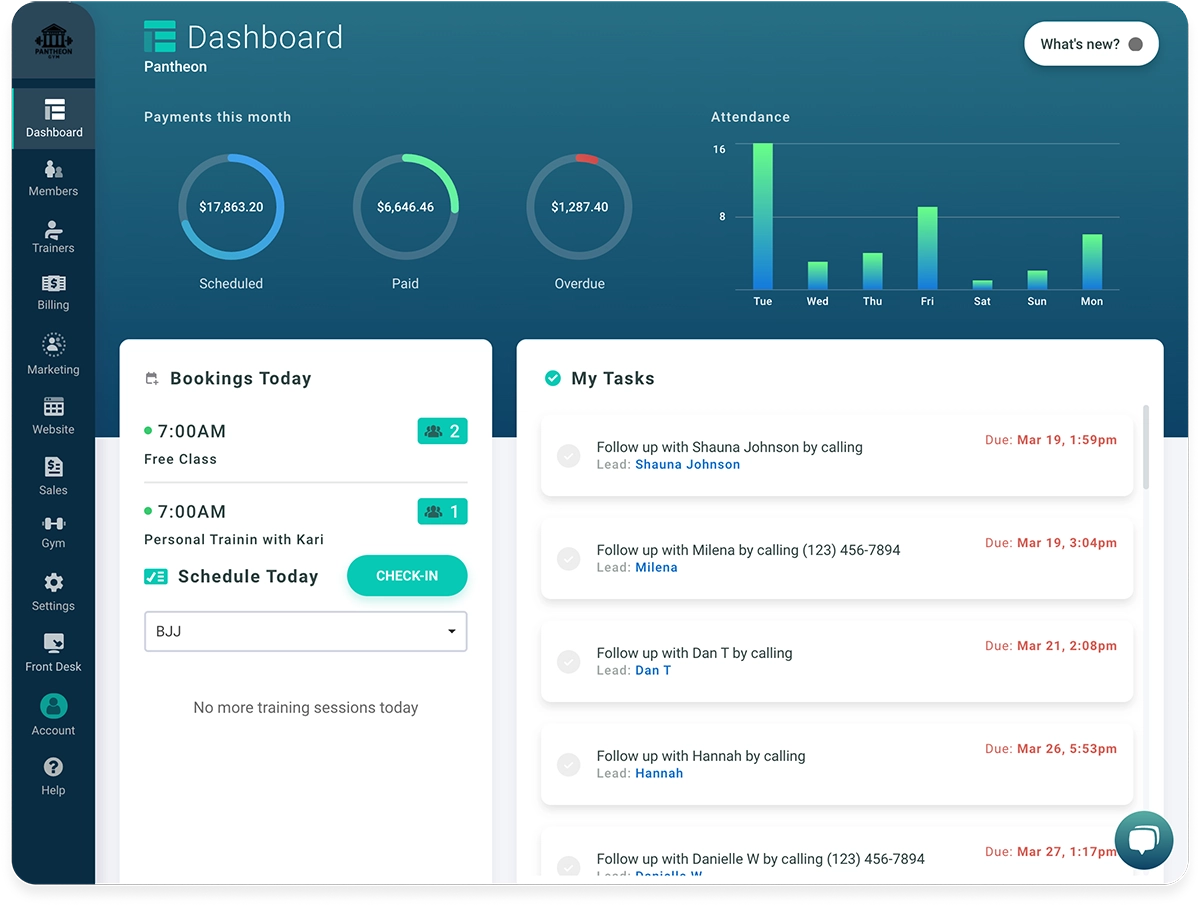
See your money the moment you log in
The first thing on your screen is the month’s money: what’s scheduled, what’s been paid, and what’s overdue—three numbers, side by side. Below that, the five most recent overdue payments and any stopped subscriptions are called out, so you see the gap before it becomes a problem.
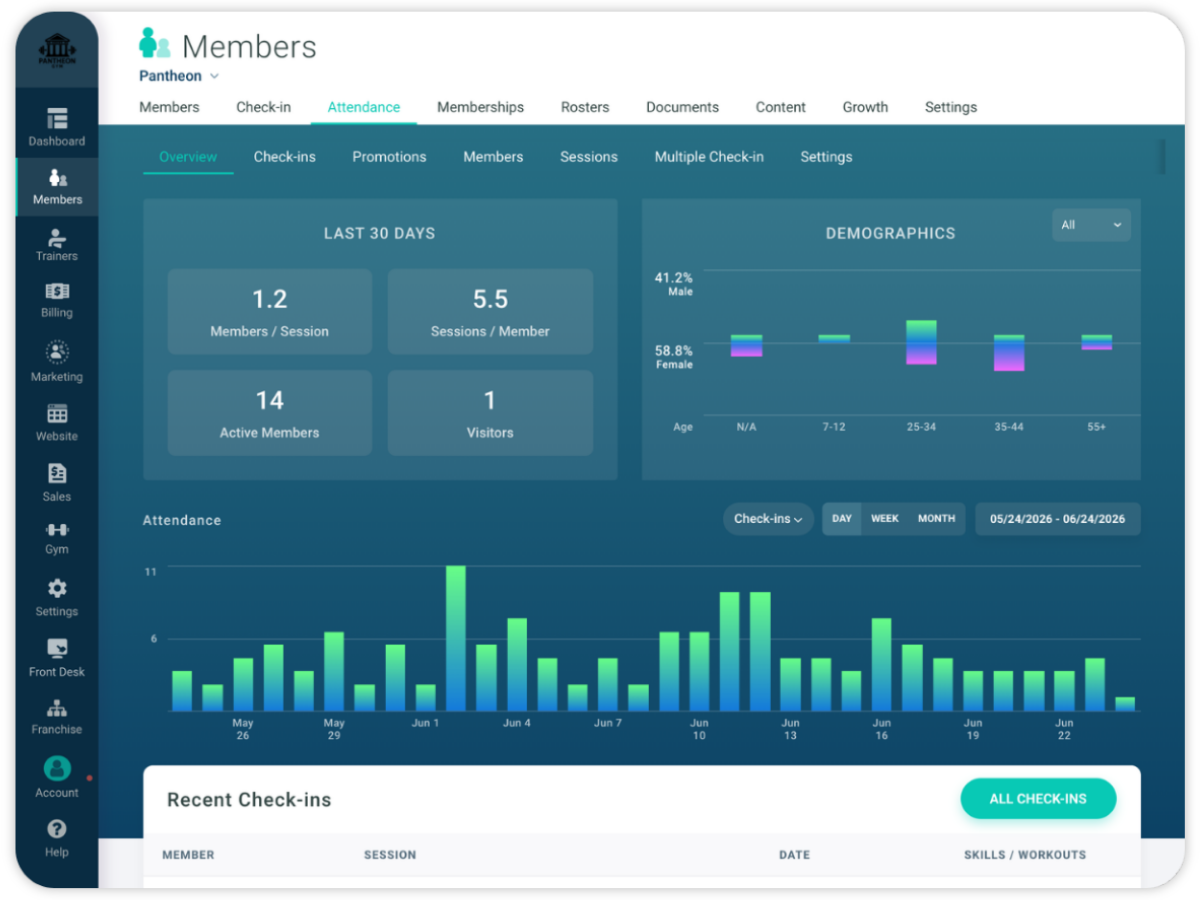
Know who showed up this week
A 7-day attendance graph shows your gym’s pulse at a glance, and right beside it you see what’s happening right now—in-progress and upcoming sessions, plus today’s bookings. For deeper trends over time, your full attendance reporting is one click away.
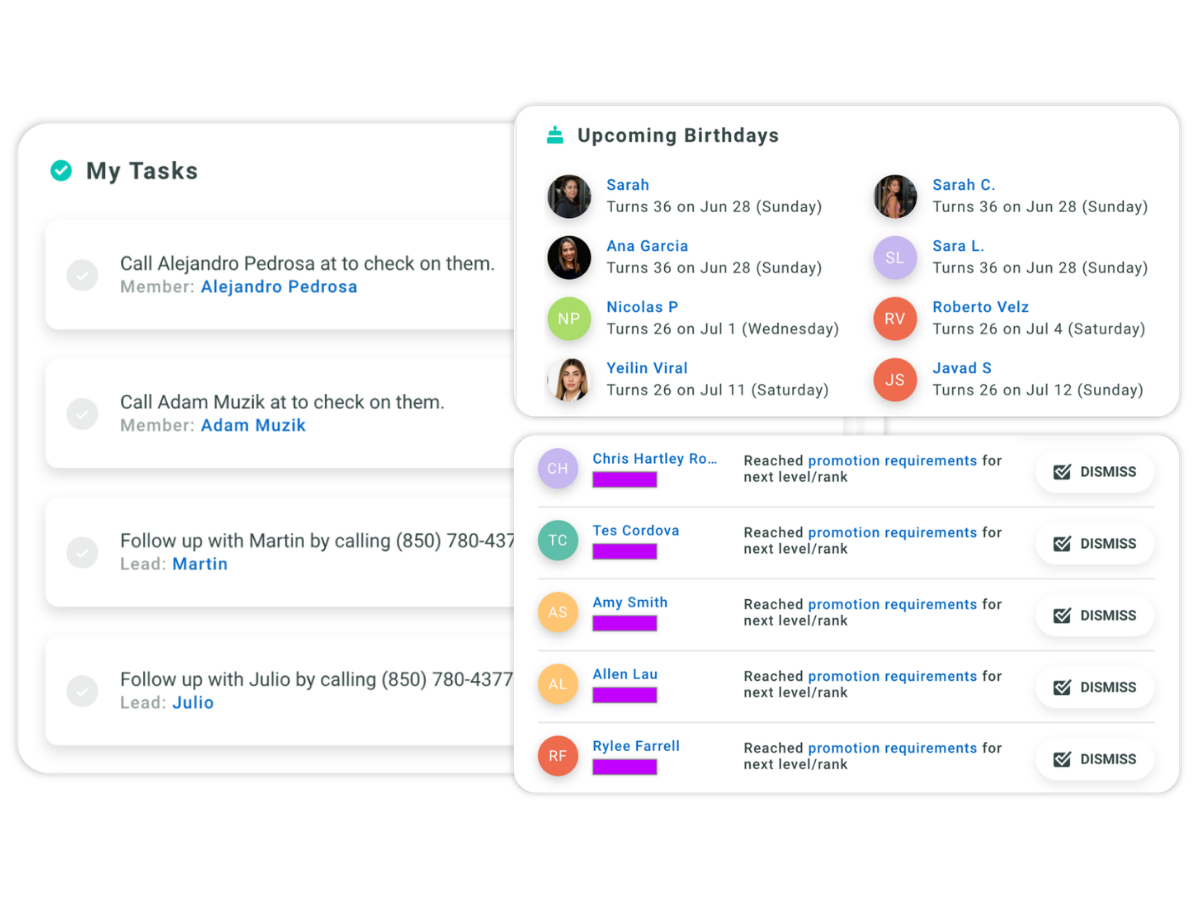
Never miss a birthday, a quiet member, or a promotion
The dashboard surfaces what’s easy to miss: members with a birthday in the next 30 days, students who’ve gone quiet, anyone eligible for a promotion, and frozen-member alerts—plus your open tasks and unread messages. One screen tells you who to reach out to today.
How Added Visibility is Helping a Real Gym Owner
An actual gym owner who runs on it every day—in their own words, not ours.
“I work from home, so there’s a little bit of disconnect between some of the instructors who are here every night and me. Gymdesk really bridges that gap. I can see who’s training, I can see who’s paying, I can see who’s coming, new leads coming in.”

Shogun West BJJ

Recognized as Best-in-Class
We’re rated highly by the top software review sites with hundreds of 5-star reviews from happy customers.


Frequently Asked Questions
It shows the day's key numbers on one screen: payments for the month (scheduled, paid, and overdue), a 7-day attendance graph, in-progress and upcoming sessions, today's bookings, and reminders like birthdays, absent members, and promotion-eligible students. It's the first thing you see when you log in — no report to run.
Yes. The dashboard and built-in reports replace manual spreadsheet tracking for payments, attendance, member growth, and churn. Your billing growth report breaks down revenue month by month with a per-member average, and the member growth report calculates growth, churn, and net rates automatically — so you're not building formulas in a spreadsheet every Sunday.
The billing growth report shows a per-member revenue average each month, breaking down membership revenue, point-of-sale income, and pending amounts. You can compare year over year and toggle between year-to-date and end-of-year projections. For a true lifetime value, you'd combine this with the average membership length shown in the member growth report.
Yes. The member growth report calculates your monthly churn rate automatically — cancellations as a percentage of the prior month's total. For individual at-risk members, you can set an absence threshold so the dashboard flags anyone who hasn't checked in for a set number of days, and you can trigger automated emails or texts through the automations feature when someone goes quiet.
You control it. Dashboard widgets respect each user's permissions — payment totals, overdue lists, and owner notifications only show to staff you've given access to. So your front-desk staff can see today's sessions and check-ins, while financial data stays visible only to the people you choose.
Gym management software that frees up your time and helps you grow.
Simplified billing, enrollment, student management, and marketing features that help you grow your gym or martial arts school.


Start Your 30-day Free Trial
No sales call or credit-card required. Try our software for free 30 days!
100% online member management website - accessible anytime, anywhere.
- Ditch the membership spreadsheet and paper forms and save countless hours of frustration with our modern member management software.
- Keep records digitally, resolve billing automatically, manage attendance & training progress - all from one place.
- Try it out right now, no obligation. Seriously, no painful sales calls or credit card info required.