

Get Your Competition Team Registered and Paid Up on Time
Endorse events, see who's interested, remind members before the deadline, and put a coach in every corner by tournament day.







Everything From Picking an
Event to the First Match
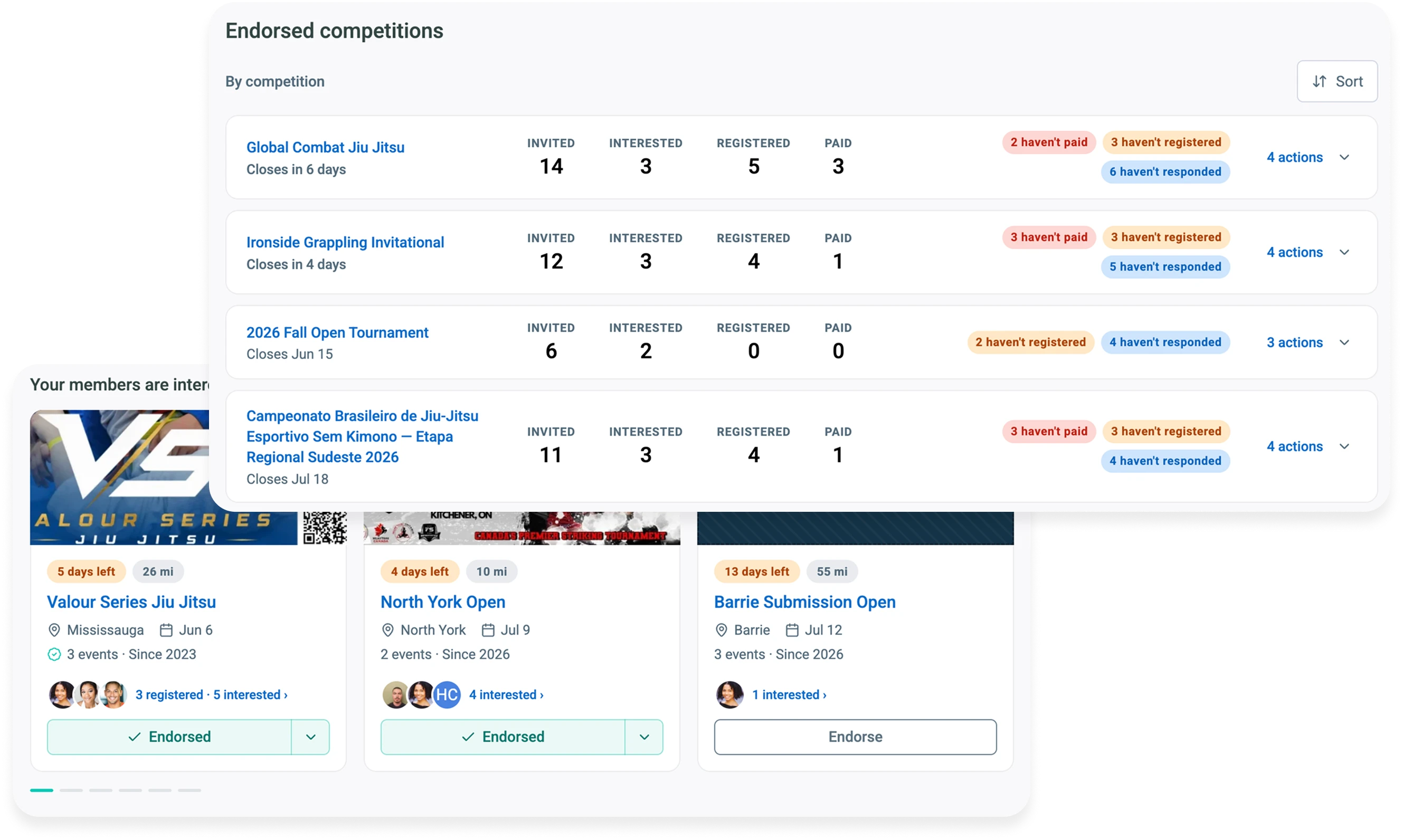
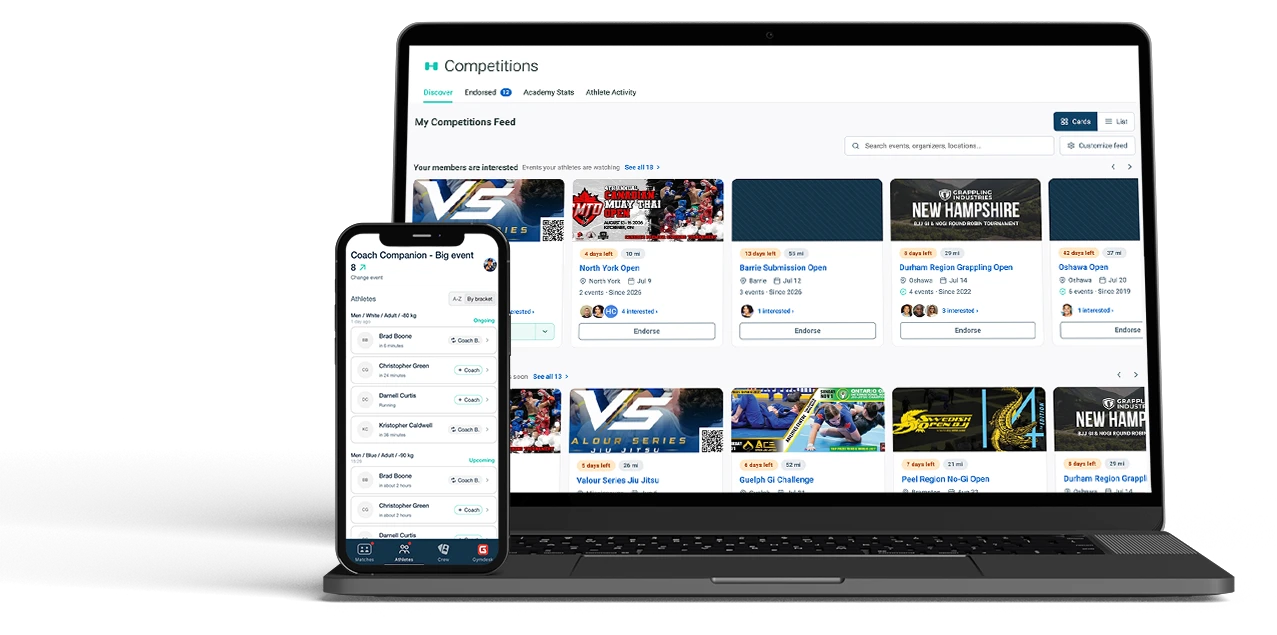
Endorse the events your team should enter
Add a Coach's Note with your name on it, and members see the event marked Academy Approved, so the team signs up for the one you're actually coaching.
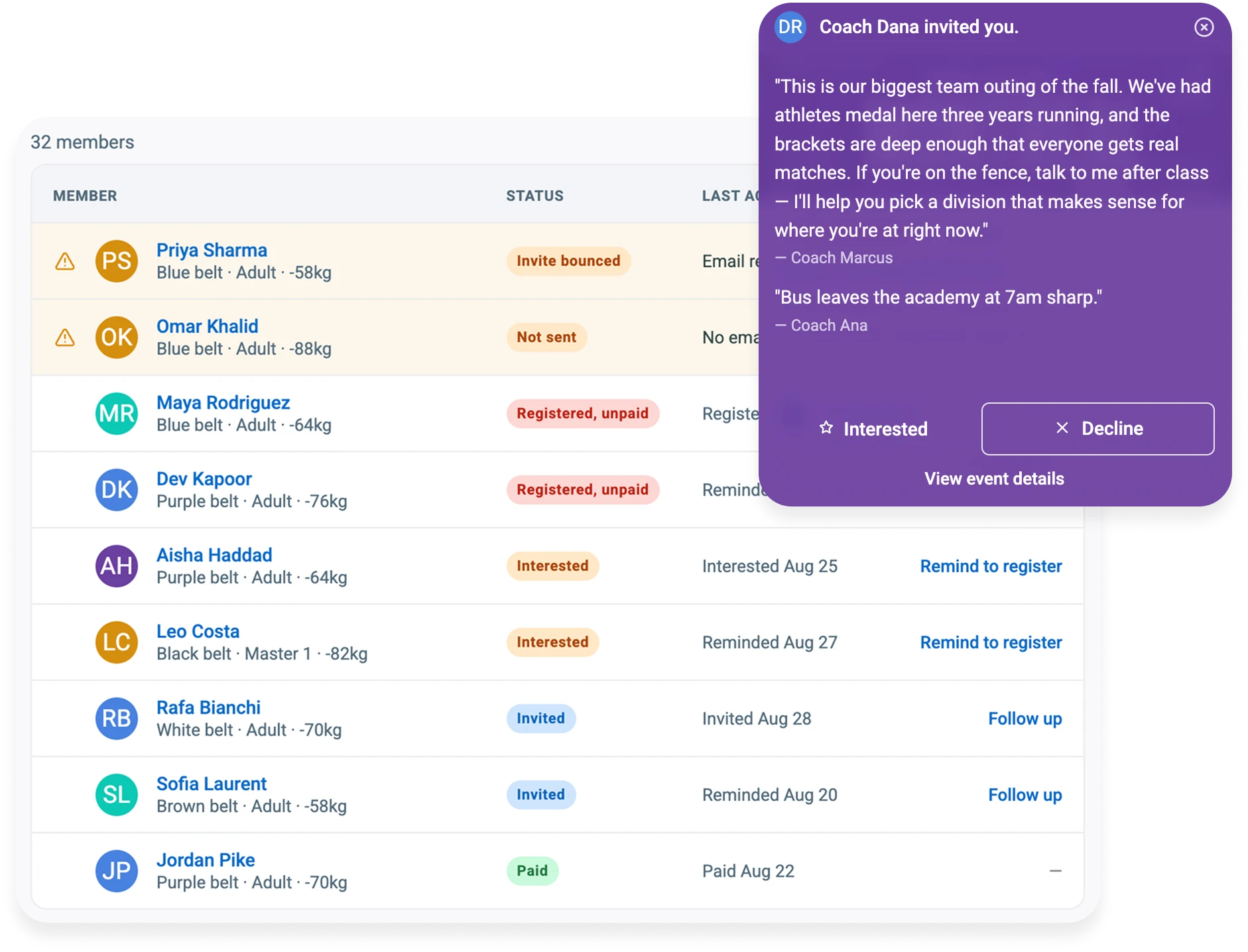
See who's interested before anyone registers
Members tap Interested or Decline and see which teammates are in. You'll know it's a team trip in time to decide who's coaching.
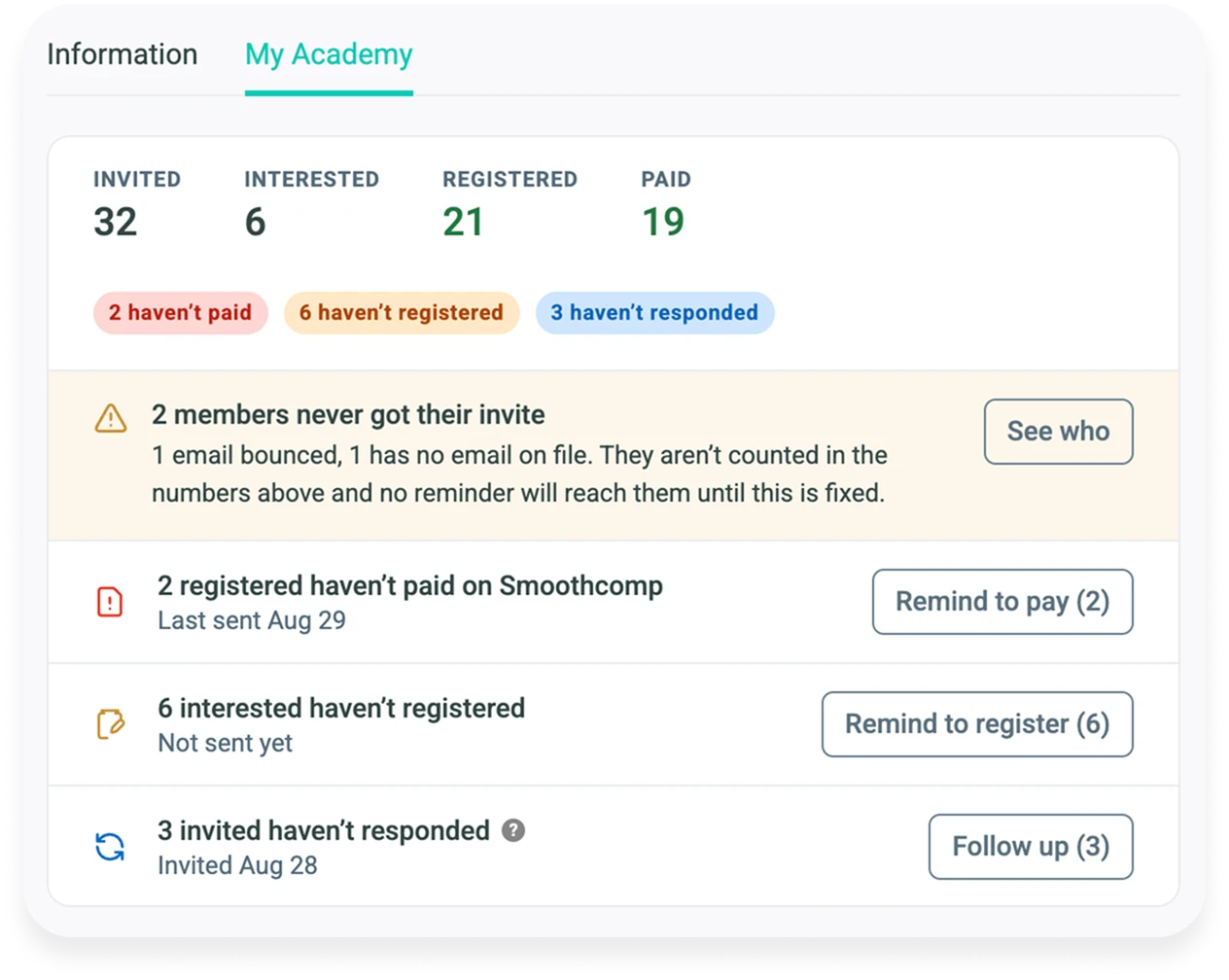
Remind members who haven't registered or paid
Everyone shows as invited, interested, registered or paid, and each reminder tells you how many it will reach. You find out who's flaking before the deadline, not after.
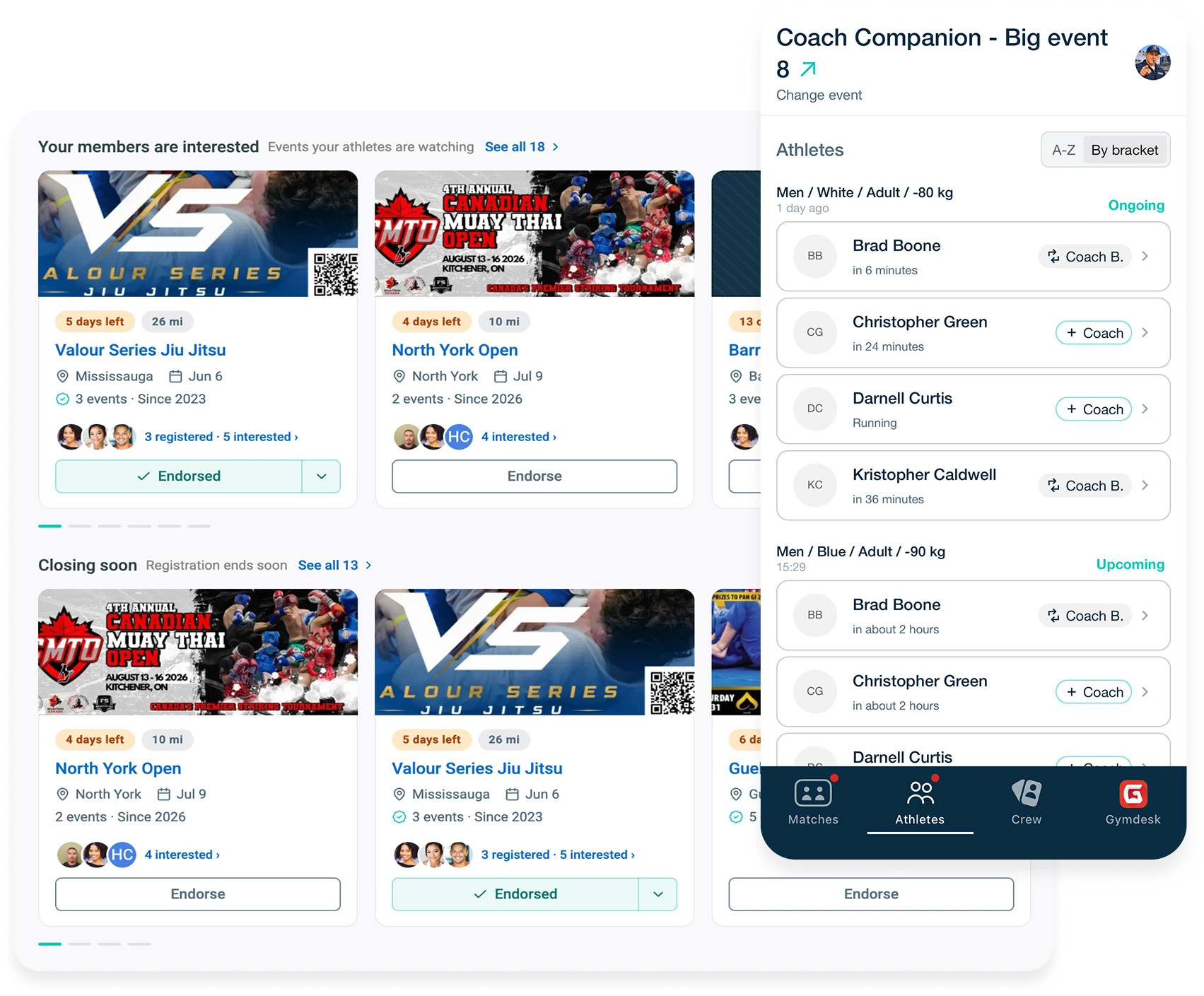
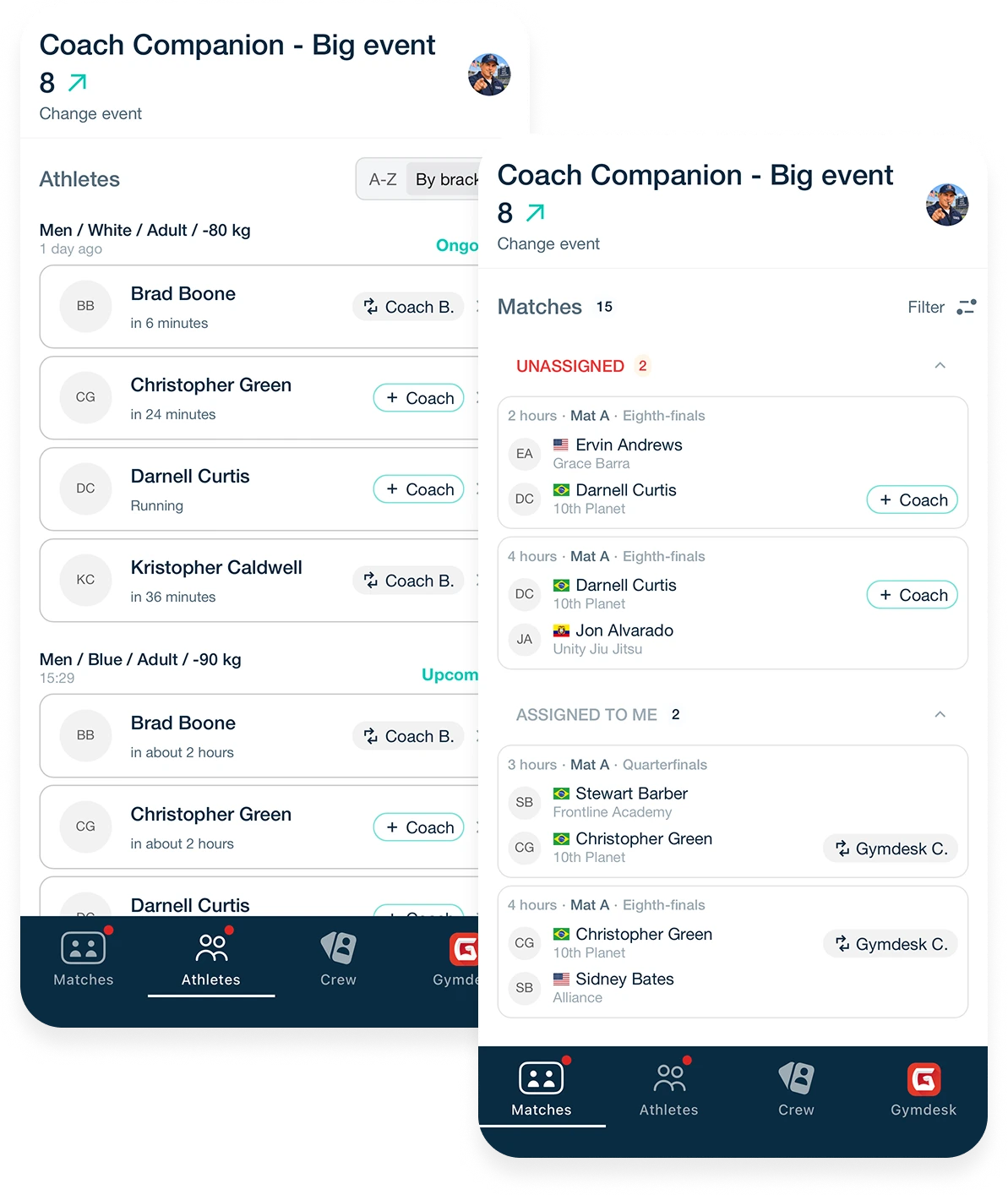
Know every match has a coach before the first one starts
Use the Coach Companion App to assign a coach to every athlete and add assistants and parents to the crew ahead of time. The Matches screen shows any match that still has nobody in the corner, so you can fix it before the athlete walks out.
Registering Your Team Has Never Been Easier
It used to mean a group chat, three browser tabs, and a registration guide you wrote yourself. Now it is your member list and a link.
Competitors register themselves
Members find events in their own Competitions view and register once they've linked their Smoothcomp account.
Built-in divisions and discounts
Entry options, discounts and eligibility rules come straight from the event on Smoothcomp, so there's nothing to cross-check.
Pay on Smoothcomp, return to Gymdesk
After registering, members go to Smoothcomp checkout to pay, then land back in Gymdesk showing whether the entry still needs payment.
Track registration and payment status
Registered and paid show separately on your list for each event, so an unpaid entry is never mistaken for a confirmed one.
Link out to Smoothcomp
Changes and cancellations happen on Smoothcomp, one click from the registration in Gymdesk.
Get started for free

"Our members are always asking, 'When is the next competition?' … There's no central place for competition information. Now, it lives within Gymdesk, which they already use. When a coach can send a student a direct invite to register, it's so much easier. It also gives them a confidence boost that makes them want to keep training."
Competition Management Is Included in Every Gymdesk Plan
One per-member price. Most platforms would sell this as an add-on. We don't.
Frequently Asked Questions
Yes. Whoever owns your academy on Smoothcomp connects it once, in seconds. Members link their own free account to register themselves through Gymdesk, but not to browse events or mark Interested.
Browse events, endorse them and write your Coach's Note. Inviting members, sending reminders and seeing who's interested, registered and paid need the academy connection.
No. Nothing goes out unless you send it, so members hear from you when you choose.
Anyone with a free Smoothcomp account, including assistants and parents. They don't need a Gymdesk account.
Yes. It's included in every Gymdesk plan at the same per-member price you already pay, with no add-on or tier.
Make Sure Every Competition Season Runs Smoothly
Start a 30-day free trial and connect your academy in one step.