
Gymdesk Is Rated Best Ease of Use in Gym Management
Capterra has recognized Gymdesk with a Best Ease of Use award in their 2026 gym management software rankings, based on verified user reviews.

We'll take an honest look at Gymdesk vs Kicksite—where each one shines and where each falls short—so you can pick the right fit for your gym.




Both Gymdesk and Kicksite serve martial arts gyms well. Here's how they compare on the features that matter most.
Martial arts schools from day one—founded by a BJJ black belt.
Martial arts only—founded by Taekwondo instructors with nearly 20 years in the space.
$75/month. All features included at every tier.
$49/month (0–25 students). Basys gateway adds $29/month on top.
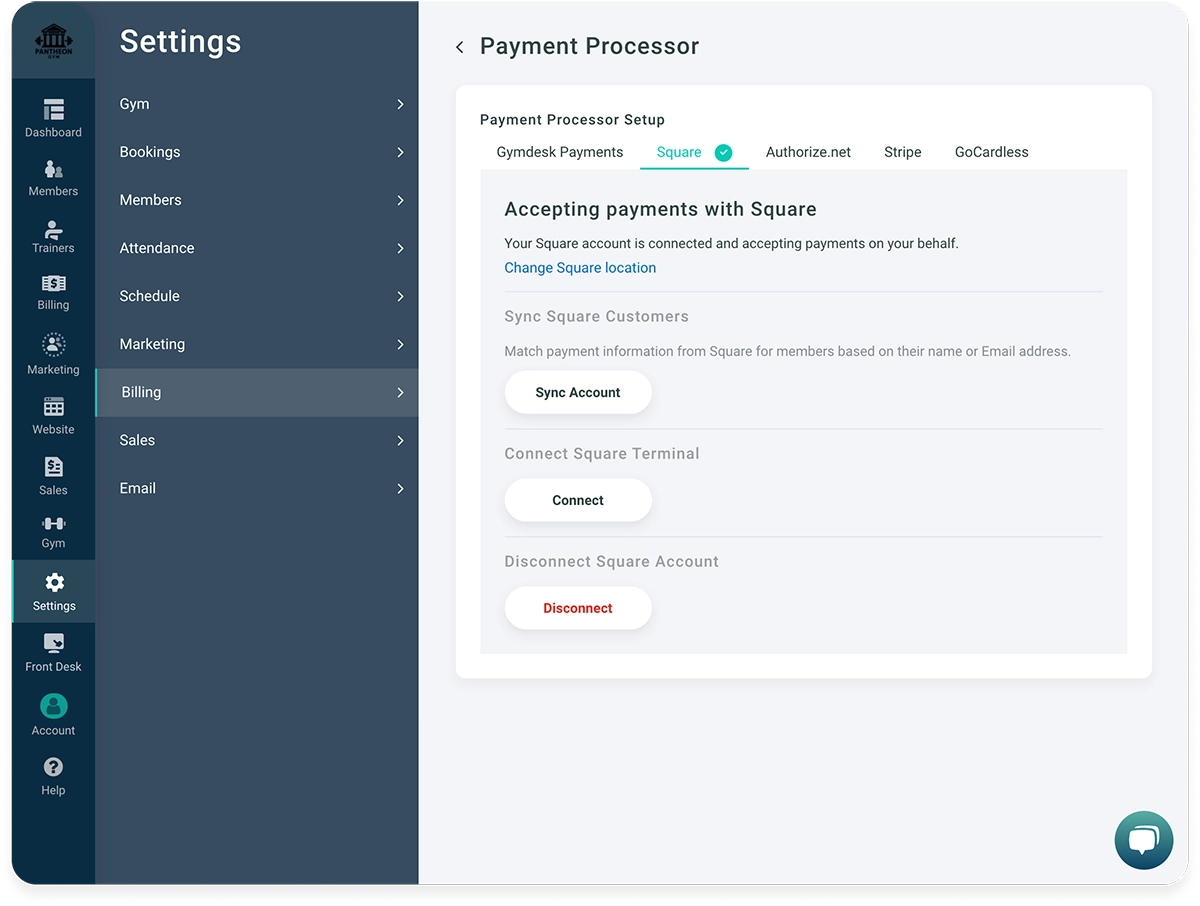
Five processors—Stripe, Square, Authorize.net, GoCardless, and Gymdesk Payments. You own your account.
Basys (US/Canada) or Stripe (international only). Basys charges $29/month plus 2.9% + $0.25 per transaction.
Native iOS and Android app—check-in, class booking, payments, push notifications.
No native app. Members use a mobile browser.
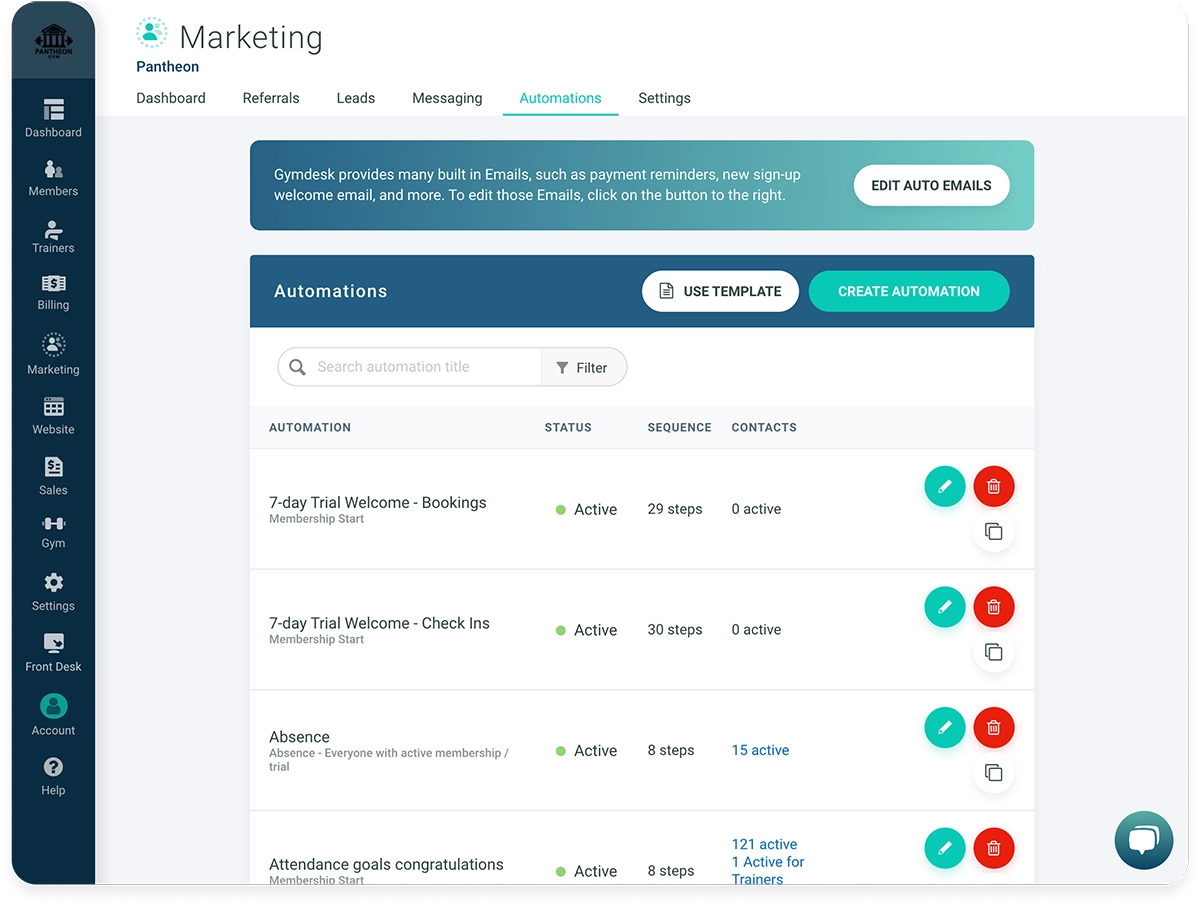
Email marketing, automations, lead tracking, and referral management included in every account.
Automations for prospects only, with message limits. Prospect board added August 2025.
Six promotion criteria (sessions, hours, days, attendance, skills, age), auto or manual promotion, per-skill evaluations, technique library.
Two promotion criteria (Days/Classes at Rank), manual promotion only, single testing score per event.
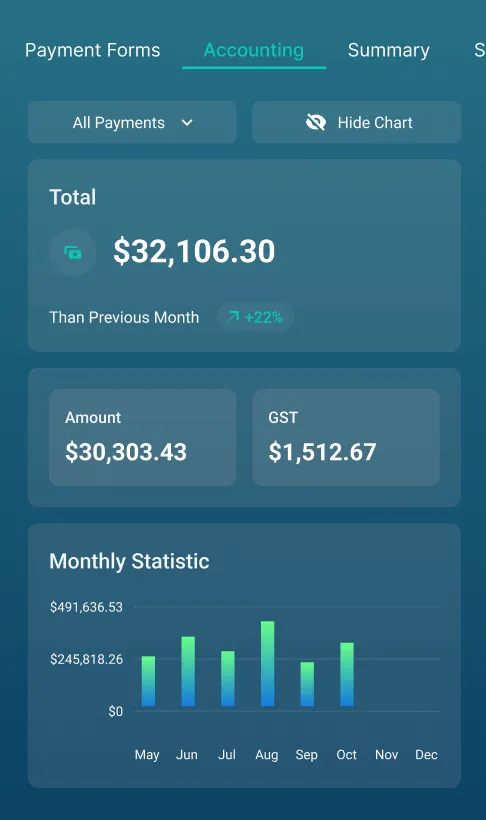
Accounting ledger, revenue graphs, growth reports, product revenue tracking.
Pre-built attendance and finance reports. Gym owners report limited filters and customization.
No contracts. Cancel anytime. 30-day free trial.
Month-to-month. 30-day cancellation policy.
Same-day responses M-F 9am-6pm ET on email, live chat, and phone. Some off-hours and weekend coverage available.
Email, phone, ticket form—no live chat. Closes Friday at 1pm ET. 48-72hr response during high-volume periods per their site.
Both have strengths. Here's where the day-to-day experience actually differs—and why it matters for your gym.
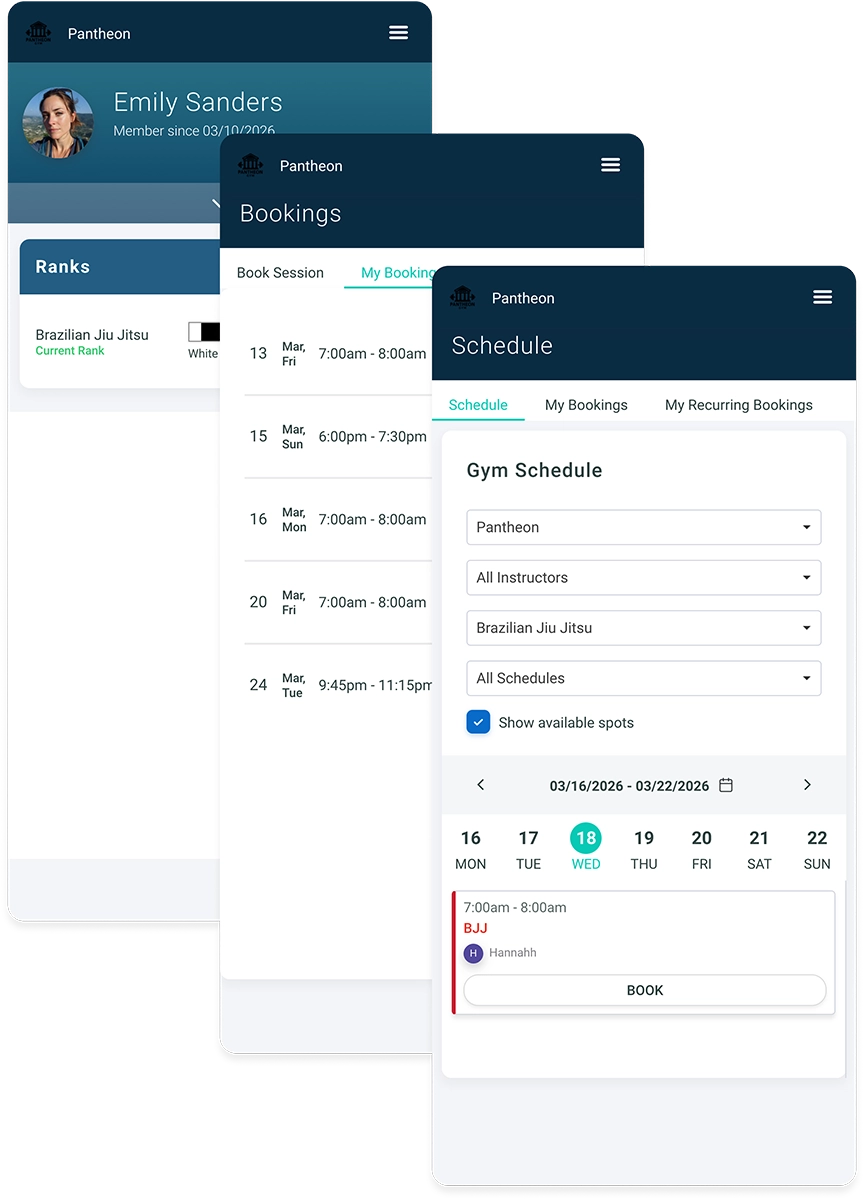
Kicksite doesn't have a native mobile app. Your members access their account through a mobile browser—and gym owners report it's slow and clunky.
Gymdesk includes a native iOS and Android app at no extra cost. Members check in, book classes, track their belt progress, and view payment history—all from their phone. You get unlimited push notifications instead of paying per text.
Kicksite locks US and Canadian gyms into Basys for payment processing—$29/month for the gateway alone, on top of 2.9% + $0.25 per transaction. At 100 members, published pricing puts your total at $178/month or more.
Gymdesk gives you five processors to choose from with no mandatory gateway fee. You negotiate your own rates, and your payment account stays yours if you ever leave. At 100 members, Gymdesk is $100/month with all features included.
Kicksite's automations work for prospects only—not your existing members—and they come with message limits. If you want to follow up with current students, not just new leads, you're on your own.
Gymdesk's automation engine covers the full member lifecycle—new leads, active members, frozen accounts, promotions, and bookings. No message caps. It's the difference between automating lead capture and automating your entire gym.
We could talk for hours about the difference between Gymdesk and Kicksite, but we'd rather let the users speak for themselves.


Capterra has recognized Gymdesk with a Best Ease of Use award in their 2026 gym management software rankings, based on verified user reviews.
Here’s our summary of when to choose Gymdesk vs Kicksite gym management software:
You want a native mobile app for your members—check-in, booking, payments, and belt progress all in one place
You want to choose your own payment processor instead of being locked into Basys
You need automations that work for existing members, not just prospects
You run a non-martial-arts gym, a multi-location operation, or you need detailed financial reporting
Transparent, all-inclusive pricing matters more to you than the lowest entry price
You're a traditional martial arts school and their Taekwondo-founder story and nearly 20-year track record matter to you
You have 25 or fewer students and want the lowest monthly cost
You want a professionally managed website built and maintained by their team (available as an add-on)
Built-in texting is a priority for your day-to-day communication
You value their long track record in martial arts and don't have a pressing reason to switch

No gated tiers, no surprise costs as you grow. You get everything at every price point—billing, marketing, scheduling, rank tracking—and your price only changes when your member count does.

A clean interface you can learn in a day, built to fit any gym—BJJ, yoga, CrossFit, gymnastics. You don't need a training manual or an IT person. It just works.

Same-day responses from a team that understands how gyms actually run. Reach them by email, chat, or video—no hold music, no bots.
We're martial artists, fitness junkies, and software developers—and we built this because you're exactly the person we had in mind. Your success is our success.



All payment processing runs through your chosen processor—Stripe, Square, Authorize.net, GoCardless, or Gymdesk Payments—each with their own fee schedule depending on your
location and payment types. We don't charge anything extra beyond what your processor charges. No proprietary markup, no mandatory gateway fee.
Yes, depending on your location and payment processor. In the US, Stripe and Authorize.net support ACH and eCheck payments. Internationally, Stripe supports bank debits in the EU, Australia, and Canada. GoCardless is another option if you want a processor built specifically around direct debit.
It can be. If you're a traditional martial arts school (Taekwondo, Karate) and value Kicksite's founder story and two-decade track record in that space, that history is real. Gyms with 25 or fewer students will also pay less per month with Kicksite. And if you want a hands-off, professionally managed website where their team handles updates for you, that's a service Gymdesk doesn't currently replicate.
For most martial arts gyms—especially BJJ academies and growing schools with 50+ members—Gymdesk covers what you actually use day to day, at a lower total cost, with features Kicksite doesn't offer (like a native app and full-lifecycle automations).
Yes—it's one of our strongest features. For each program you run, you set up promotion criteria based on attendance, time at rank, age, or skill requirements. Your students can see their own progress toward their next belt in the member app, and you can promote individually or in bulk with scheduled dates and evaluation forms.
All of our online features work independently from the website we provide and can be added to your existing website. This includes the gym weekly schedule, lead capture forms, the member sign-up form, and access to the member portal.
Most gyms complete the switch in two to four weeks. Our team can request your Kicksite login and pull your member data, attendance, and billing records directly. One thing to know: Kicksite's payment processor Basys may charge $500–$1,000 to export your stored payment tokens to a new provider. Our migration partner Evolv covers that fee for you.
No sales call or credit-card required. Try our software for free 30 days!