

Where You Train.
Where You Compete.
Finally Connected.
Find tournaments, register your team, and see every result land on one permanent record, from inside Gymdesk.







One Place to Manage Everything Before,
During, and After Tournament Weekend
Find the event
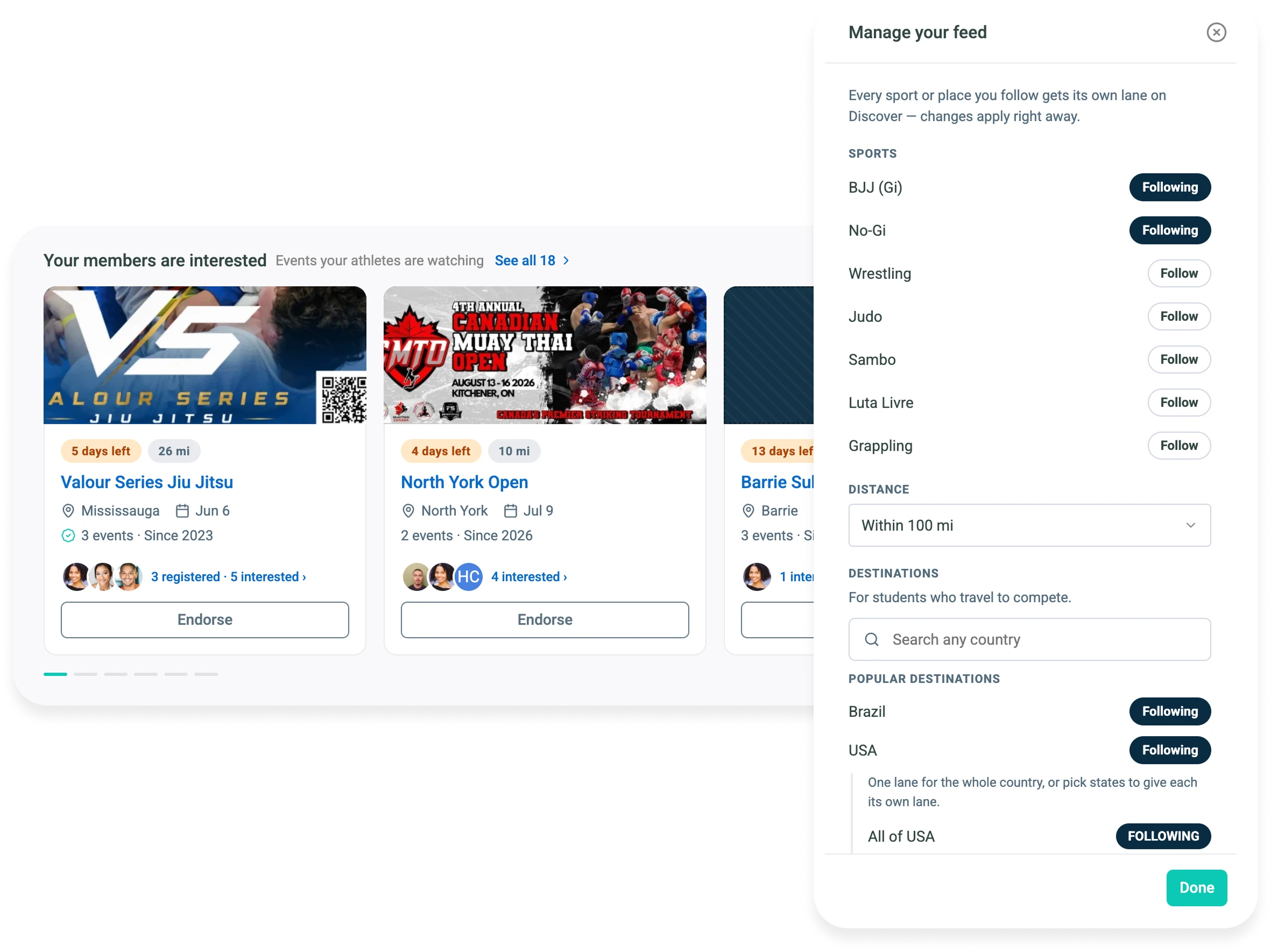
Smoothcomp’s whole calendar inside Gymdesk, filtered to your sport and how far you’ll travel. Entry options, price tiers and deadlines on the event page.
Endorse the event
Endorse it with a note and your members see it in their own view, marked Academy Approved. Invite whoever should be going and see who says yes.
Register your team
No retyping a name, a birth date or a belt rank you already have on file. Most of the form is filled before you open it.
Coach the day
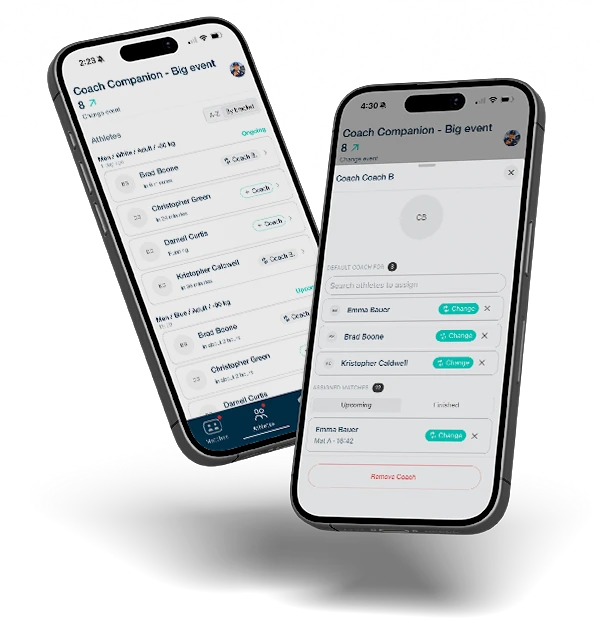
The Coach Companion App puts the day’s matches in run order and names a coach on each one. Get notified when two land at the same time, or when one has nobody in the corner.
Bring it back home
The medal and the result, already sitting on their profile Monday morning. Not because anyone typed it in. Because it already happened.

Managing a Competition Team Was Never Meant to Be Done Through a Group Chat and a Notebook
Finding the right tournament. Chasing down your team to register. Tracking who signed up, who showed and how it went—all of it’s done everywhere except where you run the gym that team trains in.


When Your Gym and Competition
Management Run in the Same System
More of your athletes hear about and enter tournaments
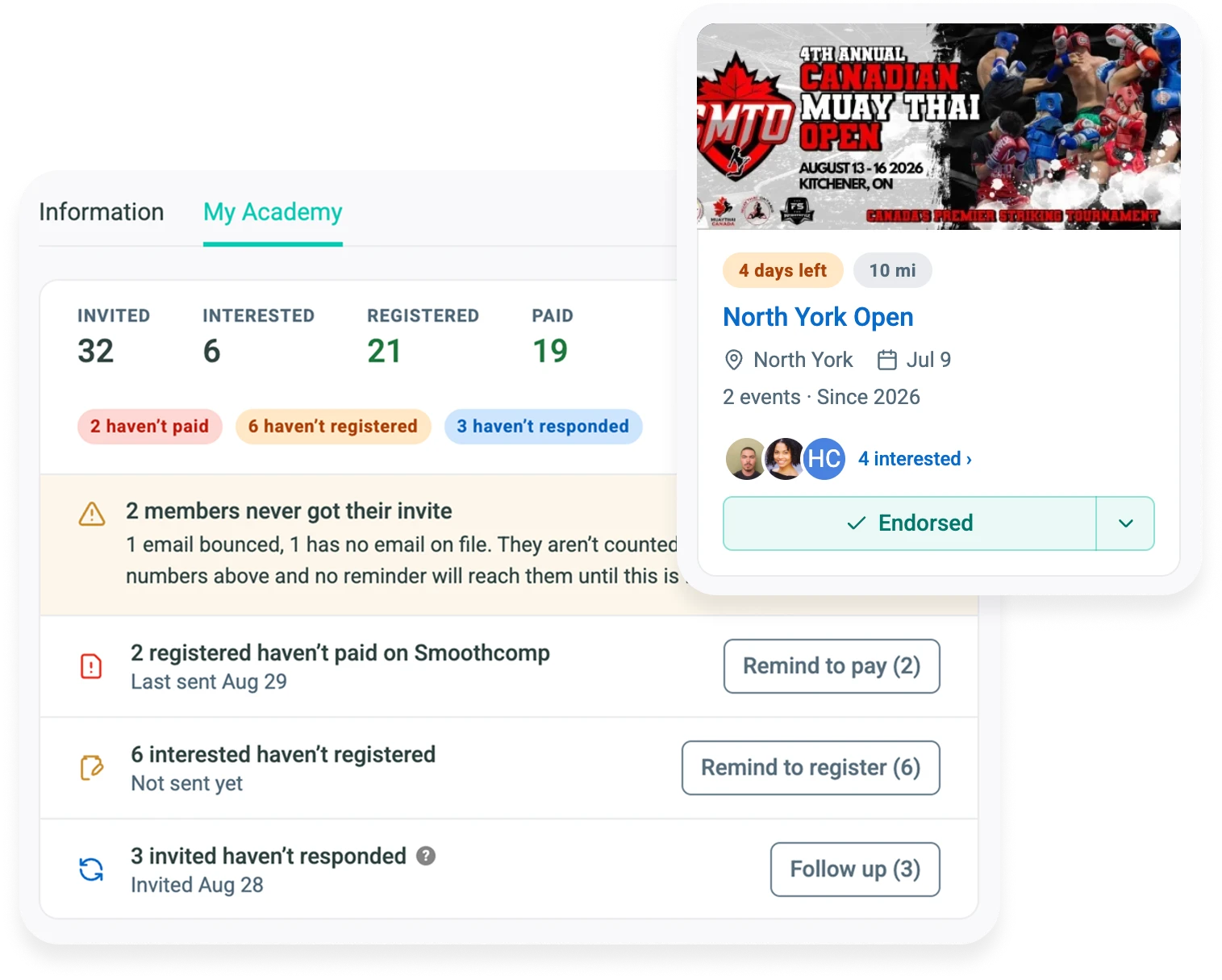
Endorse an event and members see it marked Academy Approved, with your Coach's Note. They tap Interested or Decline, and see which teammates have signed up.
Every registration lands under your academy, already filled in
Members register from a form pre-filled from Gymdesk, with your academy locked in, so nobody lands under the wrong gym. Registered and paid show separately, so you see who still owes.
Every athlete has a coach in their corner on competition day
Bring assistant coaches, parents and team managers in by QR scan and give every athlete a coach. The Matches screen shows any match still without one.
Every result comes home to your gym's record
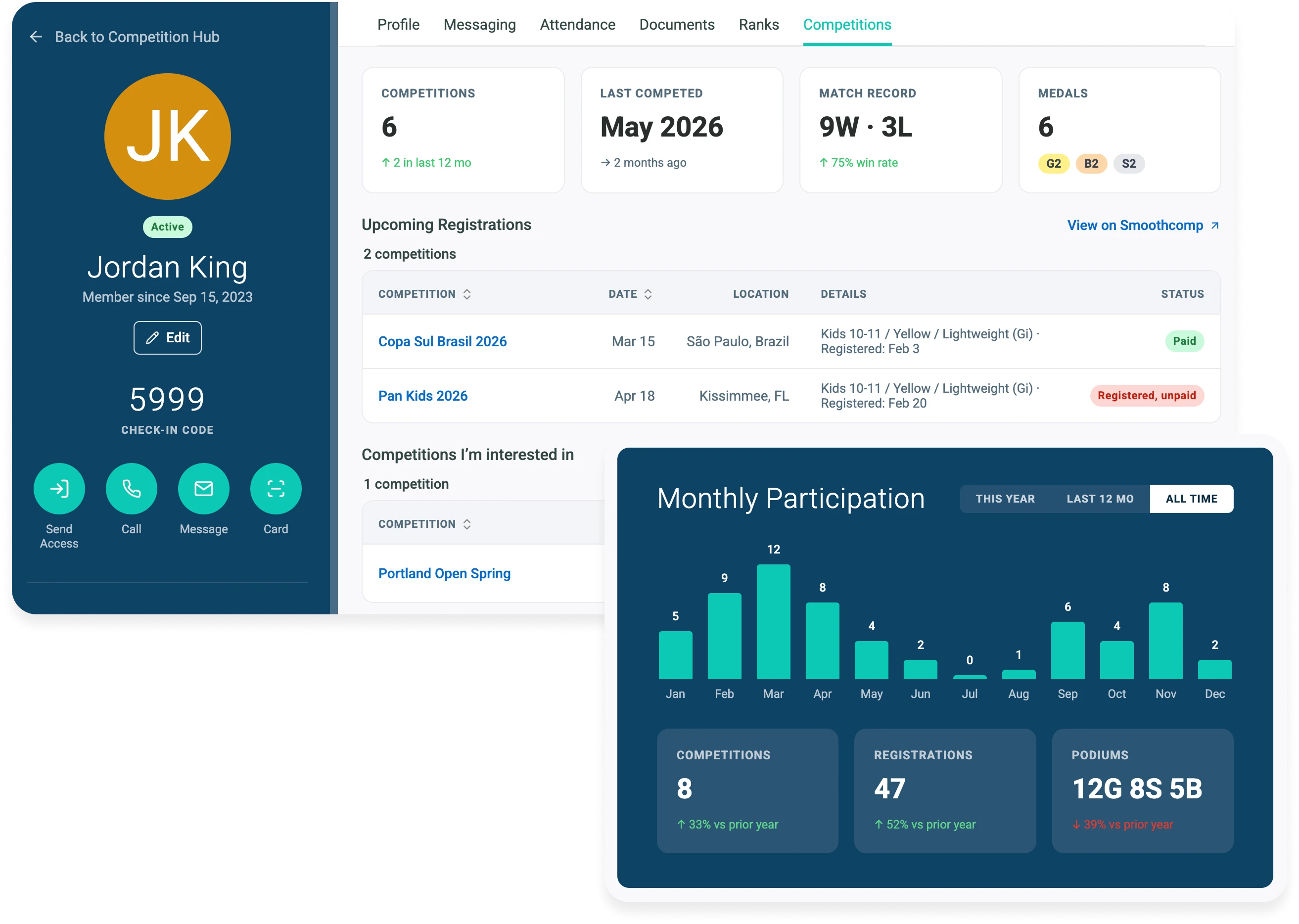
Events, podiums and each member's matches, with the score or submission, land on the record, including the years before you connected. Notes your coaches write at the mat land there too.
Together, Smoothcomp and Gymdesk
Create Your Competition Suite
Finding the events, getting your team registered, and the record that comes back, each with a page of its own.
Every Smoothcomp event, filtered specifically for your gym
Filtered to your sport and how far you will travel, with the entry fee, the next price tier and the registration deadline on every event. Register a member yourself from a pre-filled form, or send them a link.
Track each athlete’s interest and registration status by tournament
Endorse an event and your members see it marked Academy Approved in their own view. You see who is interested, registered and paid, and remind whoever hasn’t.
Store competition history for your gym, along with every athlete
Connect once and your gym’s whole Smoothcomp history is there: events, registrations and podiums, including the years before you connected. Each athlete’s record sits on their profile, next to belt and attendance. Coaching notes sync from the Coach Companion app.
Run Competition Day from
Your Phone, for Free
See your athletes’ whole day in match order, keep the coaching crew on one screen, and get match notes down before the next one starts. Free on iPhone and Android.
"Our members are always asking, 'When is the next competition?' … There's no central place for competition information. Now, it lives within Gymdesk, which they already use. When a coach can send a student a direct invite to register, it's so much easier. It also gives them a confidence boost that makes them want to keep training."
Competition Management Is Included in Every Gymdesk Plan
One per-member price. Most gym software would sell this as an add-on. We don't.
Frequently Asked Questions
Yes. It's included in every Gymdesk plan at the same per-member price you already pay, with no add-on or tier.
Every event running on Smoothcomp. Events that require a federation membership finish registration on Smoothcomp for now, and events on other platforms, including your own in-house showcases, won't appear and their results won't land on the member record.
Yes. Whoever owns your academy on Smoothcomp connects it once, in seconds. Members link their own free account to register themselves through Gymdesk, but not to browse events or mark Interested.
Yes, for any coach with a free Smoothcomp account, on iPhone and Android. Notes are the one part that needs your academy connected to Gymdesk, because that's where they land.
Events, registrations and results sync from Smoothcomp on a regular schedule, not instantly. Payment status refreshes when you open the page.
No. The Competitions tab is on by default for martial arts gyms, and you can turn it off in Settings. Everything else about Gymdesk works exactly as it does today.
Your Gym Already Does the Work.
Now It Has the Record.
Start a 30-day free trial and connect your academy in about two minutes.