

You’re doing your due diligence.
You’re looking for an answer to the question “Is Mindbody safe and secure?”. As you search Google for an answer to this question, you see this:
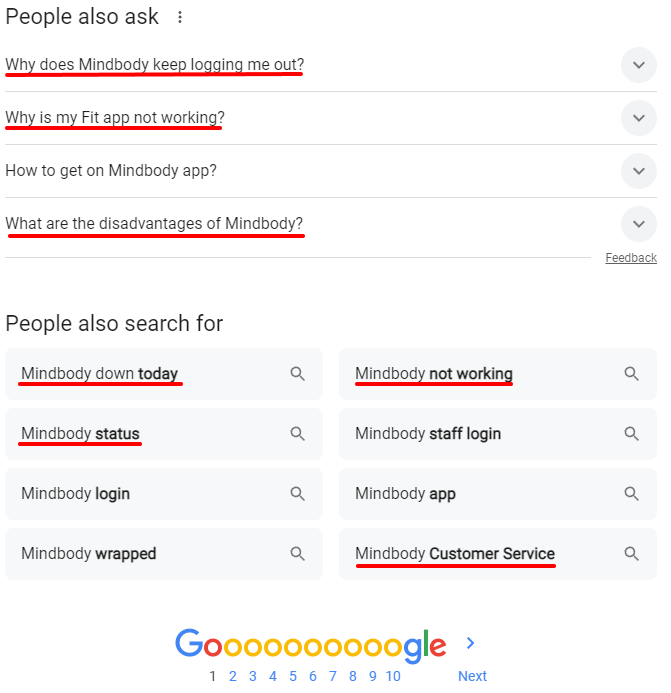
How reliable is Mindbody?
Is their platform a trustworthy, rock-solid infrastructure you can build your business on? Today, we’ll take a look at a few of the common questions Mindbody customers ask about their platform.
- What happened to Mindbody?
- What requirements do you need for Mindbody?
- Does Mindbody provide customer support?
- Does Mindbody provide training resources for me to use with staff?
- How does Mindbody handle GDPR compliance?
- What changed at Mindbody in 2026?
- What should you check before your Mindbody contract renews?
Let’s take a closer, data-driven look at each of these questions.
What Happened to Mindbody?
As a company, Mindbody has had its fair share of ups and downs.
In 2018, Mindbody’s subsidiary, FitMetrix, exposed 500,000 to 50 million users. According to TechCrunch, “Each record contained a user’s name, gender, email address, phone numbers, profile photos, their primary workout location, emergency contacts, and more.”
As far as data breaches go, that’s pretty bad.
But that’s not the worst part.
“The servers included two of the same ElasticSearch instances and a storage server — all hosted on Amazon Web Services — yet none were protected by a password, allowing anyone who knew where to look to access the data on millions of users.”
It gets worse.
These servers remained exposed, even after Bob Diachenko, Hacken.io’s director of cyber risk research, posted the details publicly and reported the breach to Mindbody. The servers were still exposed after TechCrunch wrote about it.
“The storage server, hosted in an Amazon S3 bucket, stored user profile pictures, but remained open at the time of writing. For that reason, we’re not linking to it.”
Yikes.
Mindbody responded, stating that they took the affected databases offline and fixed the problem. They improved their security protocols and vendor oversight.
That’s the appropriate response.
Wait a minute… It’s 2026. That was way back in the dark ages, in 2018. Why bring that up now?
This is why.
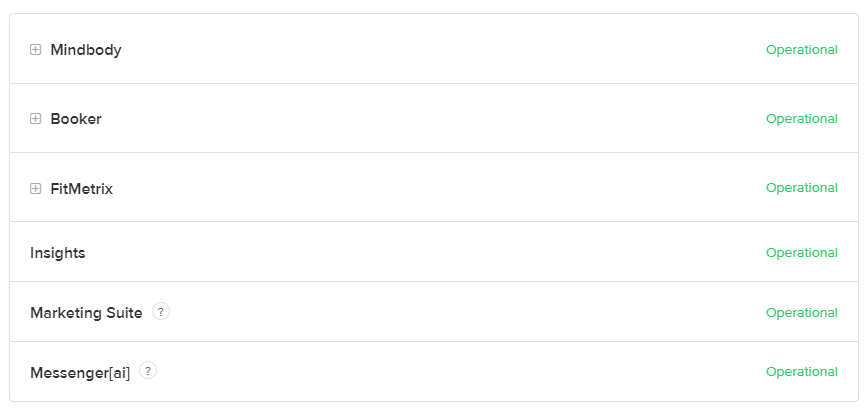
See that?
This table shows whether their products are operational or not.
Now let’s look at Gymdesk.
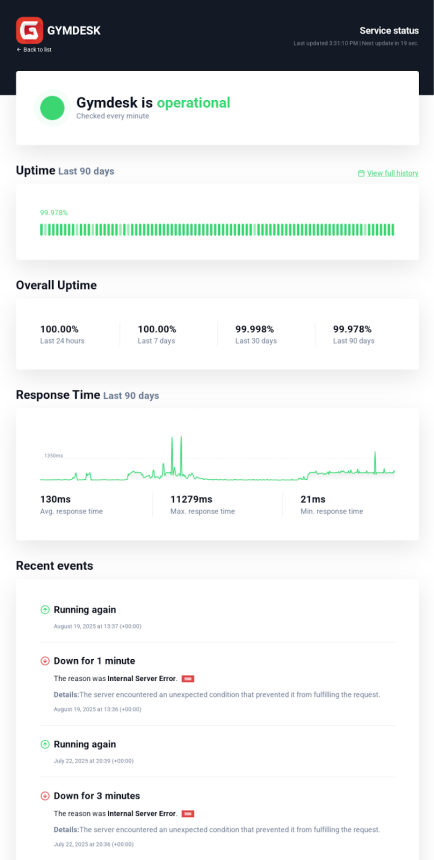
See the difference?
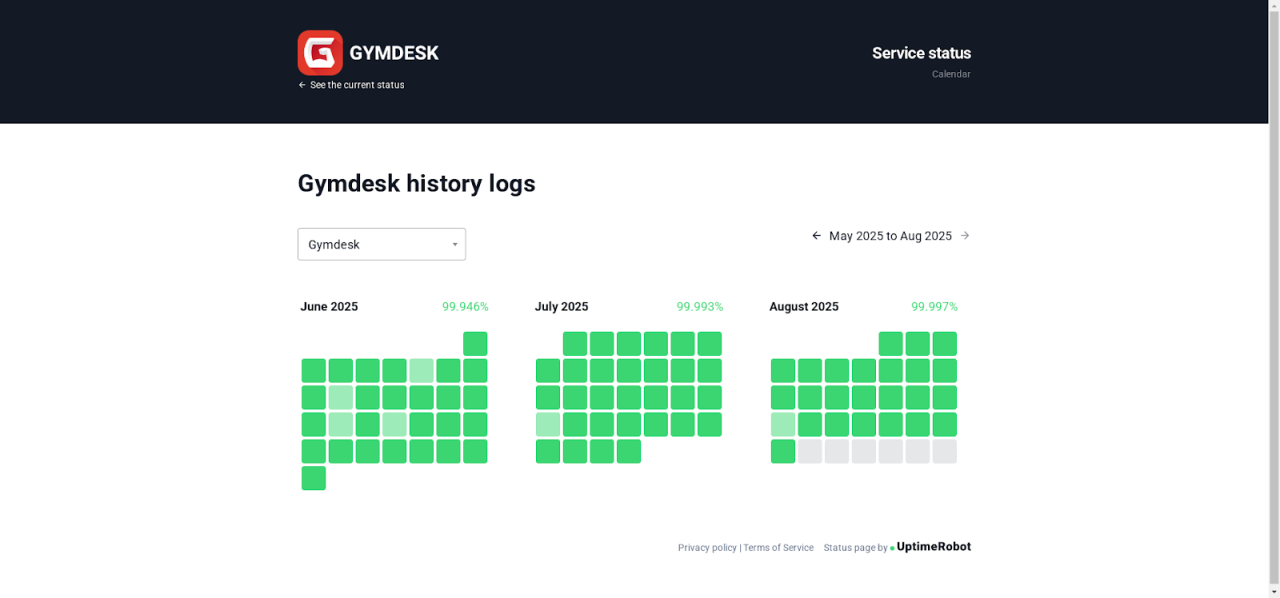
We use a third-party service to monitor our uptime. That means, for better or worse, you get full transparency on our performance and accountability from us. As of today, our uptime over the last 30 days is 99.98%.
In fact, if you review our logs, you’ll see a month-by-month breakdown.
Gym management software is the backbone of your business.
Uptime management is a big deal.
The service you choose should show you consistent availability and uptime data.
- Current status: Online/Offline.
- Uptime percentage: Typically measured over 24h, 7d, 30d, 90d
- Historical downtime events: Date/time, duration, and cause (if known, communicated directly)
- Mean Time Between Failures (MTBF) and Mean Time To Recovery (MTTR)
Do you care about this data?
You should.
It’s an indication of reliability. You’re about to select software that will function as the backbone of your business. Make the wrong decision and your business may be in trouble.
What kind of trouble?
“Why is my Mindbody App not working?”
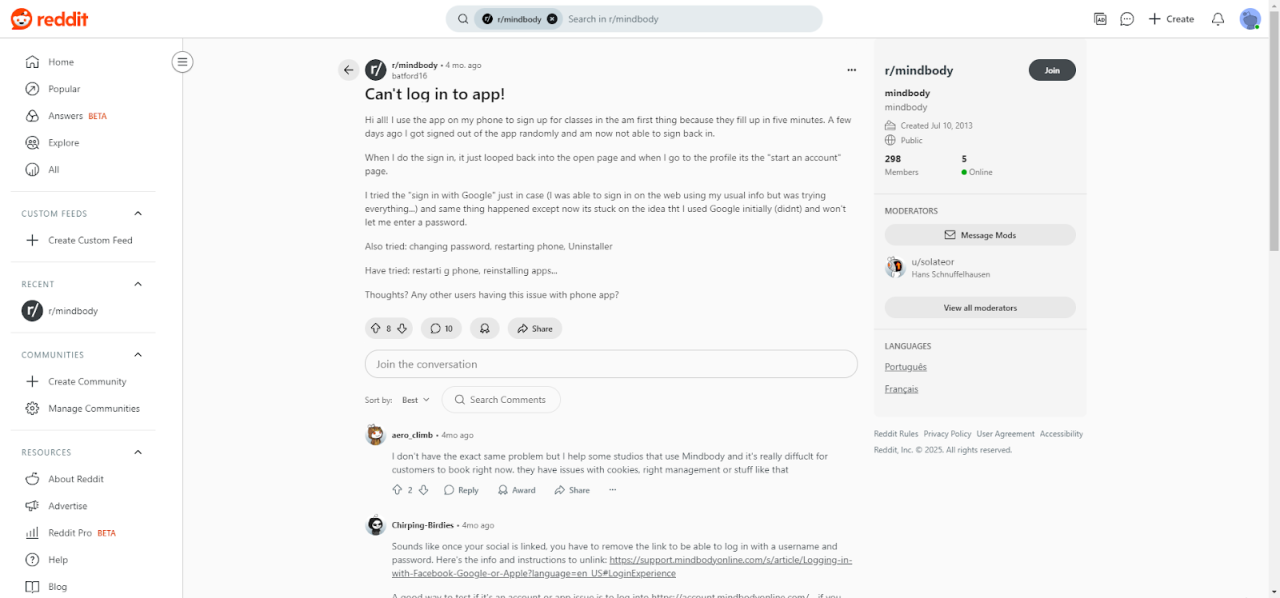
Source: Reddit
“I can’t log into the app!”
This seems like the problem, but it’s not. There are deeper problems at play here.
- Communication: Downtime is inevitable, but that doesn’t mean you and your customers should be left in the dark. The people behind your gym software should be quick to communicate—what happened, what caused it, how to fix it, why this won’t happen again, etc.
- Fixes: Is there a fix or solution to the problem? What’s broken? Can I still process payments? Will the emails for my marketing promo go out on time? We’ll give you clarity on what’s working, what’s not, what’s fixed, and how that affects you.
- Workarounds: What if we can’t fix the problem immediately? Are there workarounds available to keep your business going? How can we make things right with you right now? What can we do to keep you going while we address the problem?
How does Mindbody suggest gym owners handle issues with their app not loading?
Mindbody recommendations
“For optimal results, follow the steps listed below in order, without skipping any parts.
- Check that your browser is fully updated. Mindbody requires web browsers to support the TLS 1.2 security standard—your software does not load when using an outdated, insecure browser. You can check using the SSL/TLS Capabilities of Your Browser tool from SSL Labs.
- Know how to take a screenshot on your computer. The website take-a-screenshot.org has a really helpful tutorial on most platforms/operating systems if you want to learn something new or get a quick refresher.
- Write down the following to use later: the type of computer you are using, the operating system running on your computer, and the name of the browser you are using to run Mindbody.
- An outdated bookmark to your Mindbody site or bookmarking the sign-in page instead of the landing page can cause loading issues, even after logging in. To fix this, you can search your business on clients.mindbodyonline.com to add a new bookmark to your Mindbody site’s landing screen rather than the staff sign-in screen.
- A fix to the tipping workflow in Appointment Checkout may result in the Appointment screen taking up to 30 seconds to load. A refresh of the screen fixes the delay.
Note: Clearing cache and cookies does not fix the issue, and instead reverts the data files and causes the delay to persist.”
From there, you can complete the following steps:
Step 1: Check the Status page
Step 2: Clear your browsing history and data
Step 3: Restart your computer
Step 4: Perform a Network Power Cycle
Step 5: Check your Domain Name Service (DNS) for issues/DNS flush
Step 6: Report to Mindbody (!)
Did you catch that?
“Report to Mindbody” is the absolute last step when trying to identify the issue with your mobile app. That’s workable if you’re a Google or Apple developer. It’s not so great if you’re a gym owner trying to run a business.
How Gymdesk is different
If you’re having a problem with your branded app, we want to hear from you ASAP. Sure, our help docs can help you identify the problem if you’re willing to do some digging on your own, but it’s always better to get help from someone willing to provide you with the step-by-step help and support you need to solve your problem.
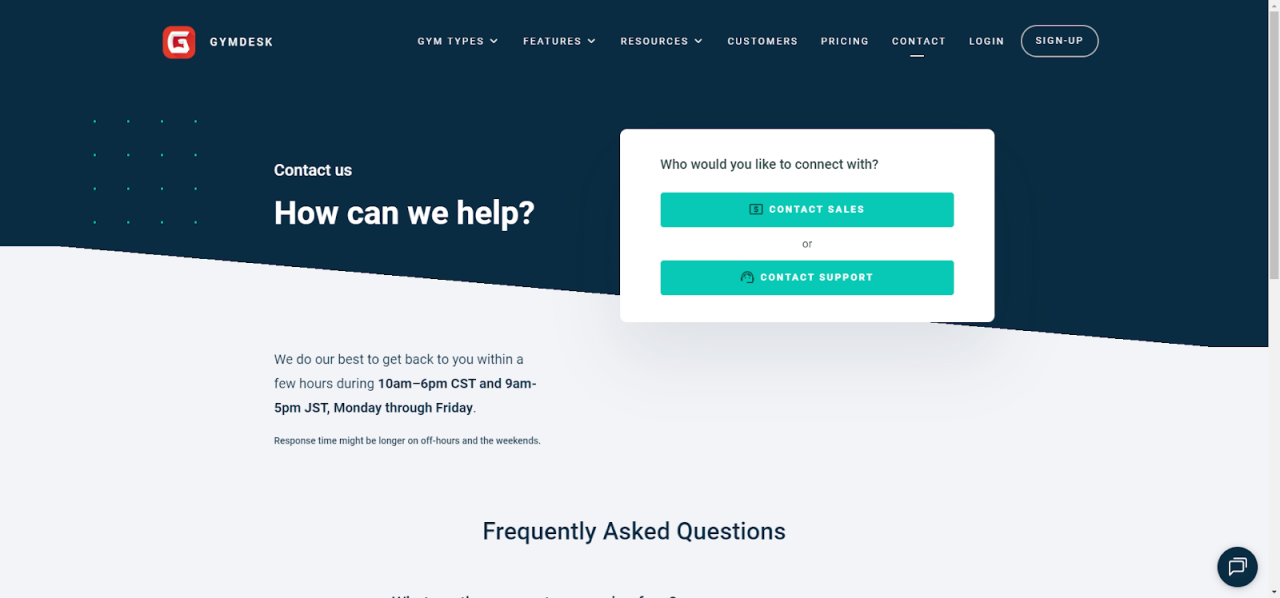
What about Mindbody?
What Requirements Do You Need for Mindbody?
The requirements depend on the application or feature you’d like to use.
If you want to be listed on the Mindbody app:
- You’ll need to agree to the Mindbody Terms and Conditions
- Your business must have services that can be booked online
- You must set up credit card processing through Mindbody
- Mandatory fields on your settings page must be confirmed
If you want to use the Branded app, you:
- Must register as a legal entity (e.g., LLC, corporation, or partnership)
- Need a DUNS number and must register with the Apple Developer Program as an organization
- Must provide specific high-resolution images for your app’s branding
If you want to use the Mindbody check-in app, you’ll need:
- An iPad running iOS 12.0 or later, or an Android tablet running Android 5.0 (Lollipop) or later
- The “Make reservation” permission must be enabled for staff profiles
Two-Factor Authentication:
For gym owners and individuals, using an active Apple ID with two-factor authorization is a requirement for certain features. This is especially important if you plan on developing a branded app.
Language and Compliance:
Gyms using SMS services must comply with country-specific regulations and provide the necessary government-issued identification documents.
What are the specific requirements for Gymdesk?
It’s a simple three-step process.
- You sign up for an account, and you complete a free 30-day trial
- Sign up and start your trial
- Go through the member onboarding
That’s it!
There are no technical requirements other than a browser and an internet connection.
Does Mindbody offer customer support?
Absolutely.
Like Gymdesk, Mindbody offers customer support via email and live chat. They also provide phone support, depending on your area.
You’ll need to know which product you need support for.
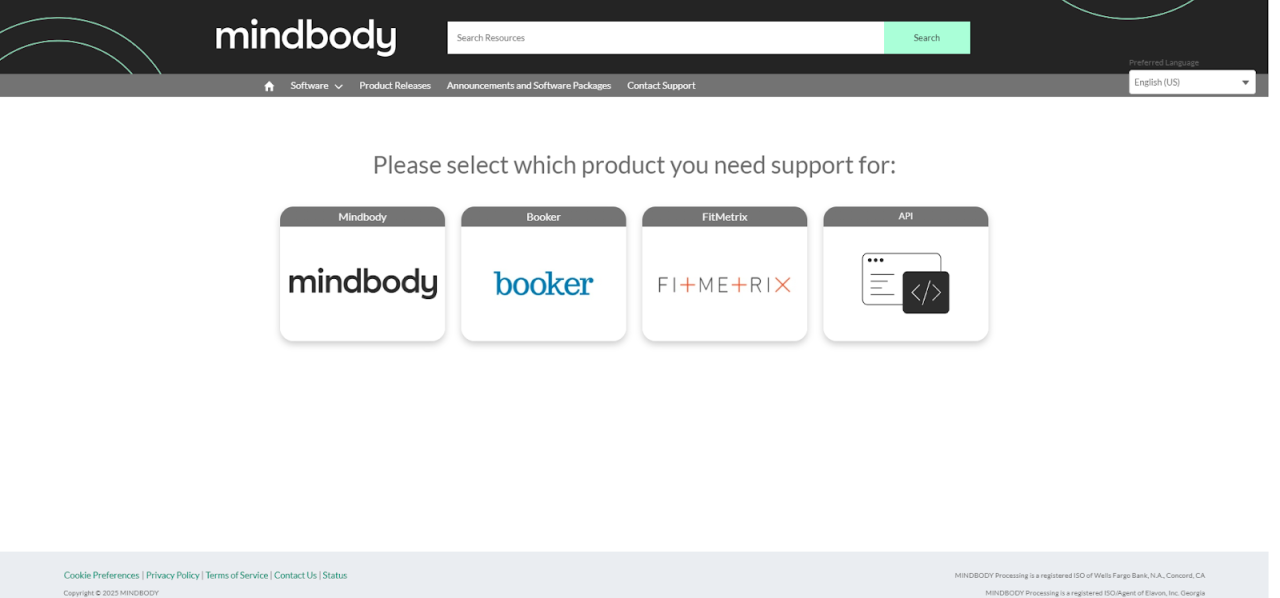
If you’re reaching out by phone, you’ll need to call the designated number for your region.
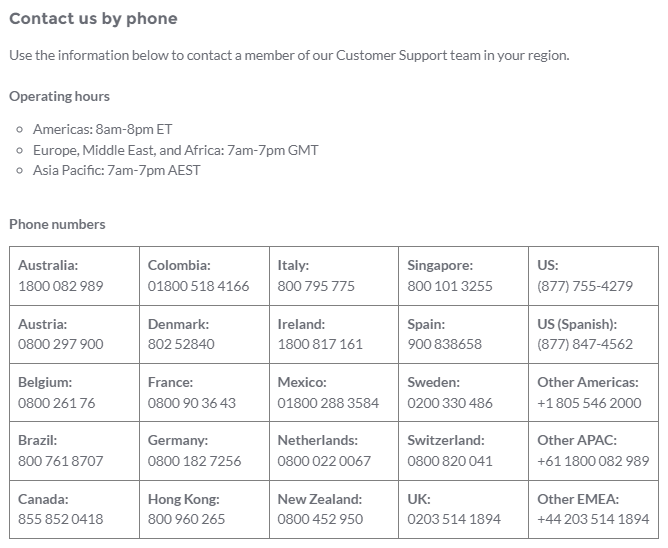
Here’s the bad news.
If you want to speak with a Mindbody customer support representative, you’ll need to get past their AI gatekeeper first.
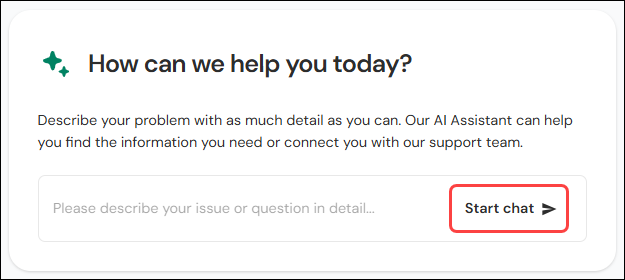
There’s no way around it.
Their knowledge base states: “If you still need help after chatting with our AI assistant, you have the option to submit an email request to our Customer Support team.”
Why though?
Why does Mindbody rely on AI gatekeepers?
Mindbody is a large platform, and scaling human support across a big customer base is expensive—so, like many companies its size, it leans on AI triage to deflect tickets before they reach a person. The catch for you: when you hit a billing problem at 9pm, that extra gate is friction exactly when you need a fast answer, and owners regularly report long waits and difficulty reaching a human.
When you need help, you want a person—not a bot queue.
What about Gymdesk?
Gymdesk has over 2,500 customers, including gym owners like you, across 20 countries. That's a support model built to stay human-first—you reach a real person, not a bot gate standing between you and an answer.
What does this mean?
It means we have time for you.
When you reach out to us for help, we’re ready and available to help. We have the necessary bandwidth and workforce to support your gym.
Here’s the best part.
Our team is made up of personal trainers, fitness professionals, martial arts students, former gym owners, and technology professionals who understand the unique challenges of running a fitness business.
Does Mindbody Provide Training Resources?
Mindbody’s software is complex.
As a platform, this is not something you can simply pick up overnight. If you’re going to get acquainted with Mindbody, it’s going to be a lot of work.
Thankfully, Mindbody offers two helpful resources that you can utilize.
It’s comprehensive, time-consuming, and comes with certifications that you can pursue if you choose to.
How Gymdesk is different
With Gymdesk, our training resources are built into your account. When you first sign in to your Gymdesk account, you’ll see your onboarding checklist. Completing these tasks will get your gym up and running in a very short period of time.
Take a look.
Need more help?
Just give us a shout, and our team will take good care of you.
Prefer to do it yourself?
If you’re looking to get better acquainted with our platform, read through the rest of our help docs.
How Secure is Mindbody’s data?
Mindbody’s data looks secure.
They’re HIPAA and PCI compliant. They utilize data encryption, two-factor authentication, and custom security settings. If you’re looking for a pre-configured solution, Mindbody may be a fit for you. As a bonus, they’re an established company with a proven track record. However, if you’re looking for robust security, Gymdesk may be a better fit.
Here’s why:
Gymdesk is the better fit if…
You’re looking for decentralization.
I get it.
You’re not a security professional. If you’re like most gym owners, you may not know whether decentralized security is the better fit for you (or not).
Why
Decentralized security spreads security responsibilities and functions across multiple services, devices, and companies instead of relying on a single, centralized system or point of control.
- Resilience against network failures: If Mindbody goes down, all of the systems that depend on Mindbody (e.g., billing, payments, marketing, etc.) won’t work. As an all-in-one platform, Gymdesk is compartmentalized; your payments, facility access, and tools are integrated but separate. There’s no single point of failure.
- Customizable data and security settings: Gymdesk offers a range of customization options that work seamlessly with your third-party integrations. For example, syncing customer billing data.
- Reduced bureaucratic delays: These delays can take several forms, including slow disaster response times, inflexibility, the need for multiple layers of approval before tasks are completed, and other similar issues.
Gymdesk’s take on decentralized security means:
- Better security via secure data handling with industry-standard encryption
- PCI DSS compliance for payments
- Relying on partners for payment processing and fraud detection instead of in-house operations (e.g., Mindbody)
- Using measures like Strong Customer Authentication (SCA) to protect financial transactions
A robust cloud infrastructure that relies on trusted data centers with SOC 2 compliance - Door access that automates gym entry and follows each member’s status
What about compliance?
How Does MindBody Handle GDPR Compliance?
As we’ve previously stated, “the General Data Protection Regulation (GDPR) and Privacy and Electronic Communications Regulations (PECR) set guidelines on how personal data can be collected and used. Ensure your opt-in forms clearly state how subscriber data will be used, include links to your privacy policy, and give users an easy way to unsubscribe.”
According to Mindbody’s help docs:
“GDPR and MINDBODY
Where is MINDBODY’s consumer data stored? Where are MINDBODY’s backup servers located?
MINDBODY stores all data in servers and backup servers located in the United States. MINDBODY has Privacy Shield certification, which complies with GDPR regulations related to transferring data outside of the EU. Click here for a detailed explanation of how the Privacy Shield requirements align with the new GDPR guidelines.
Will consumers have “the right to be forgotten” (have their data removed from MINDBODY upon request)?
Your customers can submit their requests to remove their information from MINDBODY databases through the Data Options page.
Will MINDBODY be introducing a clearly defined retention period for consumer data?
MINDBODY is reviewing our procedures to ensure that data is retained no longer than is required. Identifiable consumer data will be removed if requested by the consumer and approved by you, the customer.
Does MINDBODY have a documented Breach Notification Process?
Yes, we have an internal, documented Breach Notification Process. Externally, we will be updating our Terms of Service to include a more detailed description of our notification obligations in the event of a data breach.
What are my responsibilities (as a customer of MINDBODY) as it relates to GDPR readiness?
As a customer (‘data controller’ under GDPR terminology), you are responsible for ensuring compliance with the key requirements of the GDPR. This includes notifying individuals of how you handle their personal information, obtaining their consent where appropriate, addressing their requests for access to their information, etc.
MINDBODY will provide you with assistance in meeting those requirements where possible and appropriate. For example, MINDBODY may provide you with tools and processes to assist you in honoring individuals’ requests, including requests for deletion, data portability, access, and rectification. However, please note that you remain ultimately responsible for compliance with these requirements, including, for example, to answer your clients’ requests.”
Gymdesk handles GDPR by:
- Providing users with a data processing agreement
- Outlining data subject rights in its privacy policy, and
- Implementing security measures for data protection
Gymdesk users (gym owners) also have a responsibility to comply with important aspects of GDPR (e.g., obtaining consent from their own customers/members).
You can read more about GDPR and Your Rights Under GDPR.
What Changed at Mindbody in 2026?
Two things. Both matter if your contract is coming up.
Mindbody is part of a bigger company now. On March 31, 2026, Playlist, the parent company of Mindbody, ClassPass, and Booker, closed its merger with EGYM. The deal values the combined company at $7.5 billion.
Nobody outside the company knows yet what that means for your studio day to day. But when the owner of your software changes, it’s worth rereading your contract before it renews.
There’s a new entry price. Mindbody’s pricing page now says “Starting at $79 USD/month per location.” That’s the Starter plan. Accelerate and Ultimate are quote-based, so you’ll need a salesperson for those numbers.
We break down what the $79 covers, and what costs extra, in our Mindbody fees guide.
Your Q4 Mindbody Renewal Checklist
If your Mindbody contract renews in the next few months, now’s the time to decide. Otherwise the renewal decides for you.
Work through these six steps before your notice deadline.
1. Find your Order Form and your renewal date
Mindbody’s standard Terms of Service set a 90-day initial term that then renews every 30 days. Plenty of studios sign a fixed term instead, like 12 months.
Your Order Form is the document that sets your contract length, renewal date, and notice period. Find it first.
2. Put the notice deadline on your calendar
Mindbody says fixed-term contracts renew automatically unless you give notice at least 30 days before renewal. You can’t cancel mid-term unless your Order Form says so.
Count back 30 days from your renewal date. Then give yourself another week of buffer.
3. Get your renewal price in writing
The $79 price is for Starter. If you’re on Accelerate or Ultimate, ask for your renewal quote in writing, with every add-on and your payment processing rates listed.
That’s the only way to compare it fairly against anything else.
4. Export your data while you still have full access
Mindbody itself recommends exporting your data before your site is deactivated, because after that you can’t get to it. Pull your client list, memberships, and sales history now, even if you plan to stay.
It’s free, and it’s your data.
5. Know what a spreadsheet can’t carry
Stored credit cards aren’t in your standard exports. Mindbody’s Terms of Service give you 30 days of data access after a termination notice, but that access specifically excludes cardholder data.
Card details can only move from one payment processor directly to another. So if you’re leaving, choose your next software and processor before you give notice.
6. Make the call before the deadline
Staying? Take your written quote into the renewal conversation. Leaving? Start your new system’s free trial now and run both side by side before your notice date.
Our Mindbody account FAQs walk through the cancellation steps.
Is Mindbody a Rock-Solid Infrastructure You Can Build Your Business On?
If you’ve done your due diligence, you know the answer.
If you’re running a large, established gym or you need a provider that can work with legacy software, Mindbody is a great fit. If you don’t have the budget to absorb the extra fees, and you’re not interested in a long-term contract, Mindbody may not be what you’re looking for.
What about small businesses?
If you’re running a small to medium-sized gym, gymnastics and dance studios, martial arts schools, strength facilities, or functional fitness gyms, Gymdesk could be just what you need.
Creating a Gymdesk account is completely free, with no contract or credit card required. Take our platform for a spin. Try it free for 30 days and see why so many Mindbody customers have switched to Gymdesk.
Gym management software that frees up your time and helps you grow.
Simplified billing, enrollment, student management, and marketing features that help you grow your gym or martial arts school.


FAQ
Mindbody FAQs
Quick answers for studios weighing a Mindbody renewal.
.webp)
Andrew McDermott is a gym owner, Brazilian Jiu Jitsu brown belt, and digital marketer. He’s on a mission to build premier, high-stakes grappling tournaments, world-class academies, and a championship team of high-level athletes.