Features & Announcements
Articles announcing new Gymdesk features and company news.
毎週のスケジュールを計画しているからといって、すべてのセッションをクリックして教えているスキルをチェックしたり、テクニック名を調べるためだけに別々のタブを開いたりするべきではありません。
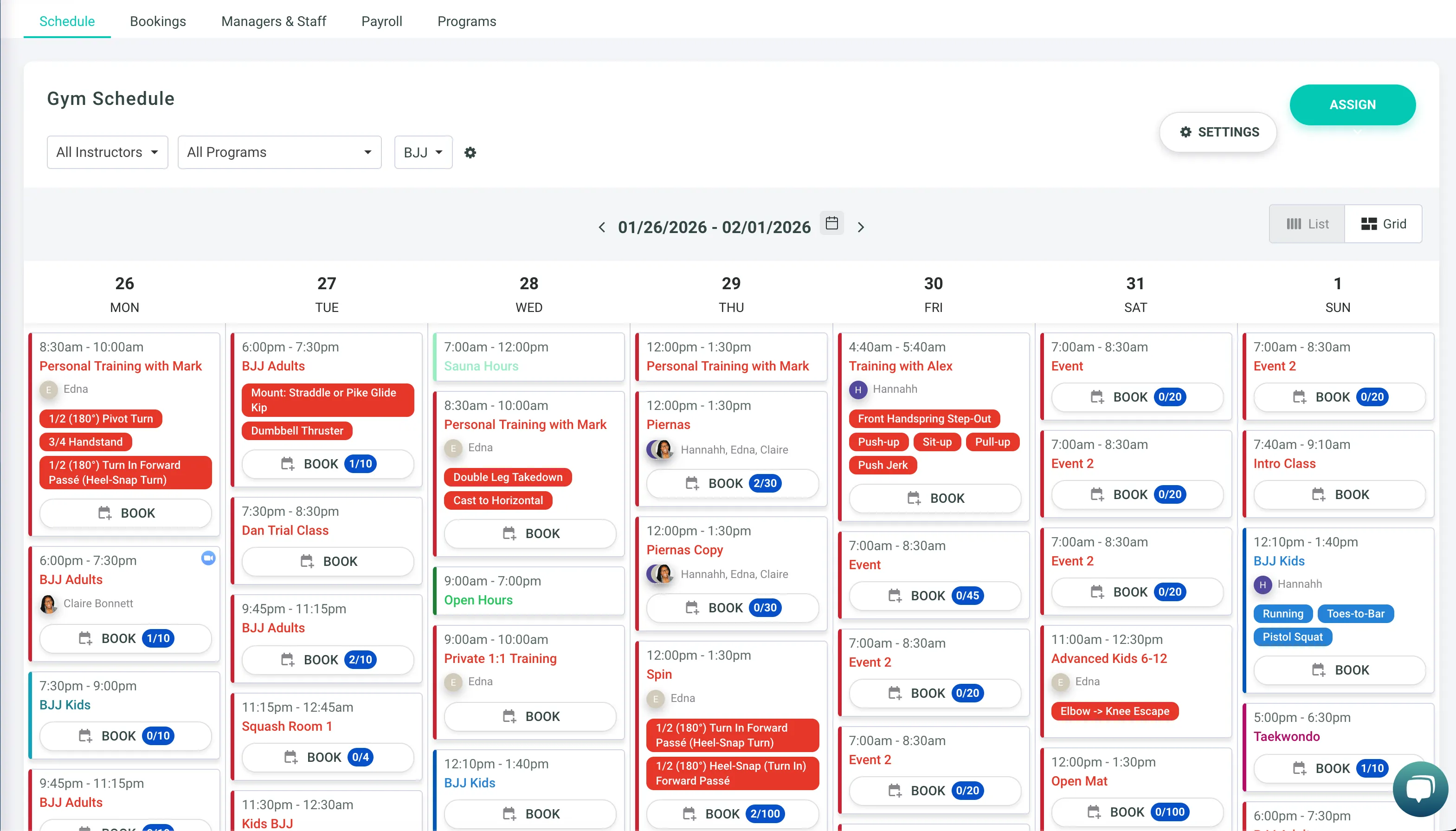
私たちがロールアウトしたとき 新しいスケジューリングエクスペリエンス、目標は、カレンダーをGoogleカレンダーなどのツールをすでに使用している方法に近づけることでした。
それ以来、お客様からのフィードバックに基づいて、お客様のスケジュールを50以上改善してきました。カレンダーが一目で確認しやすくなりました。
スキルは必要な場所に戻ってくる
スキルが再びスケジュールに直接表示されるようになったため、各セッションを開かなくてもセッションをスキャンできます。
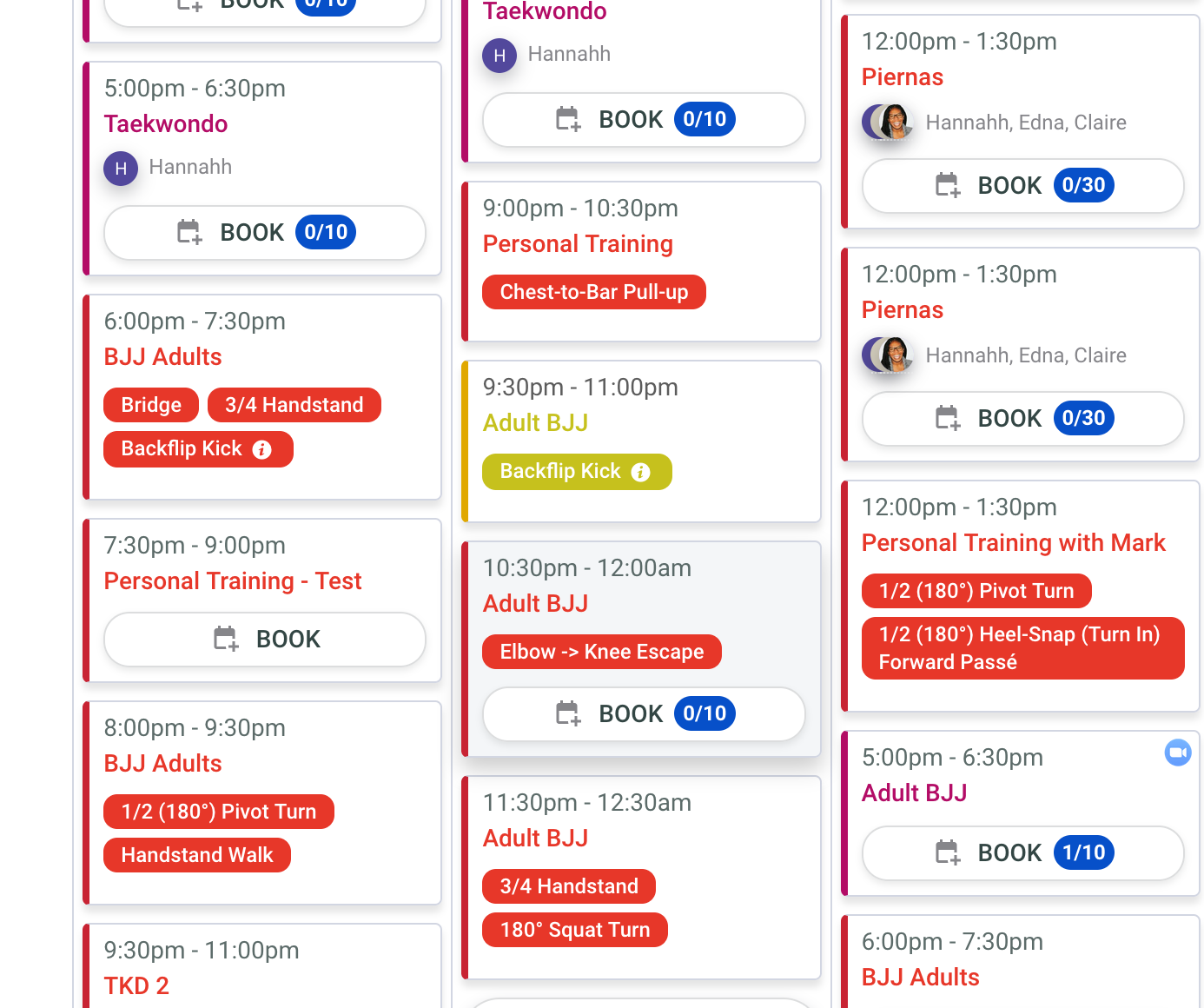
特に1週間の計画を立てたり、カバーされた内容を確認したり、コーチングを調整したりするときに、より迅速にスキャンできます。クリックが減り、タブの切り替えが減り、実際のコーチングに費やす時間が増えます。
スキルの追加は手間がかからない
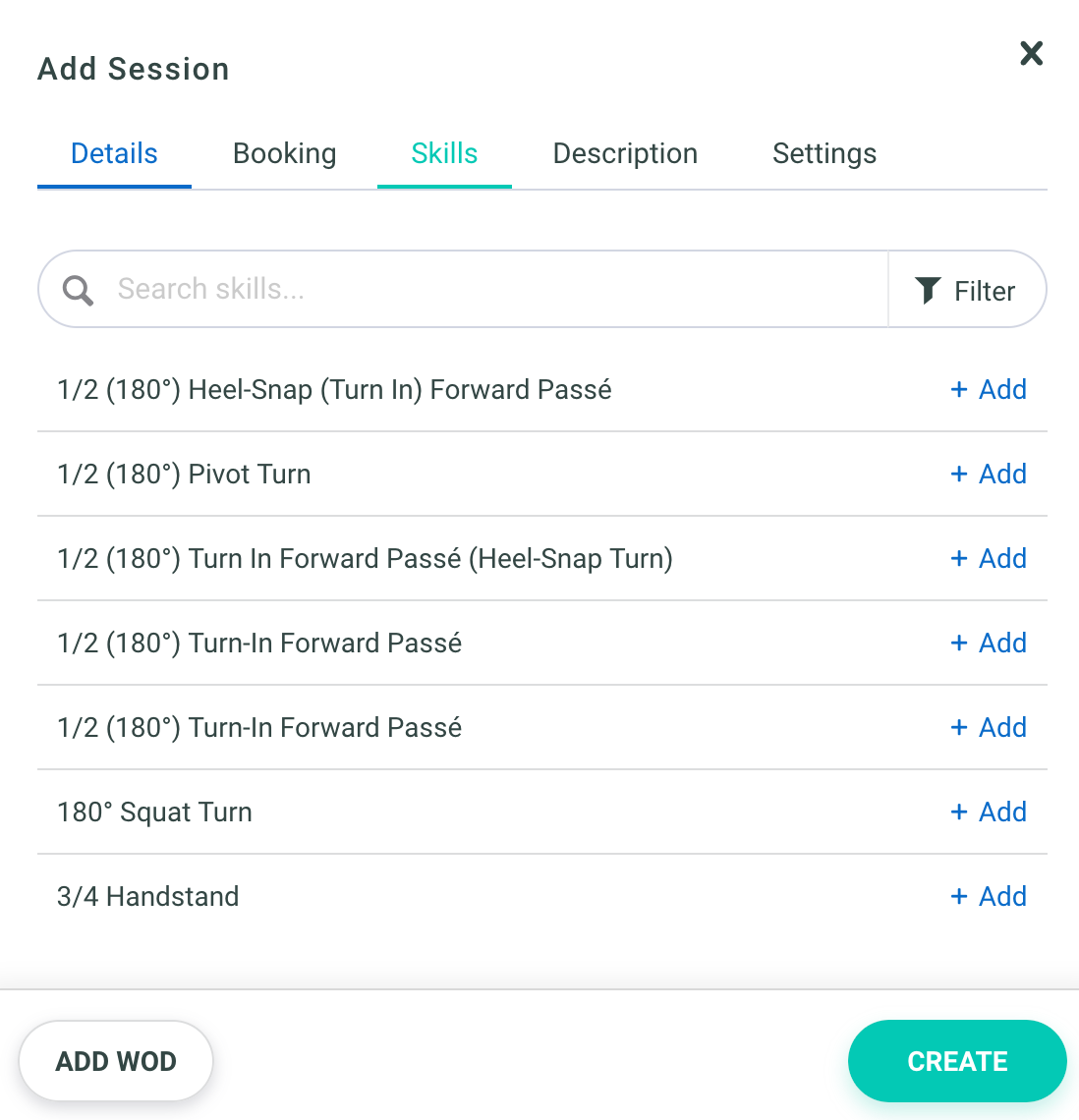
また、正確な名前を覚えていない場合のスキル選択が簡単になりました。次のクラスが待っている間、別のウィンドウでカリキュラムリストを探し回る必要はもうありません。
これで、次の両方を実行できるようになりました。
- 必要なものがわかっているときにスキルを検索する
- そうでない場合は、クリーンアップされたスキルカタログを閲覧してください
予約スキルウィジェット内にあり、すっきりとしたビューでブラウジングが簡単になります。1 週間の計画は半分の時間で完了します。
全体的にスムーズなスケジュール
スキルだけでなく、ビュー、インテグレーション、予約フロー全体でより一貫した動作になるように、スケジューリングエクスペリエンスの改善を続けています。
アップデートを表示
- 週を切り替えてもヘッダーの日付は同期されます
- 参加者名がよりきれいに表示され、読みやすくなりました
インテグレーションの更新
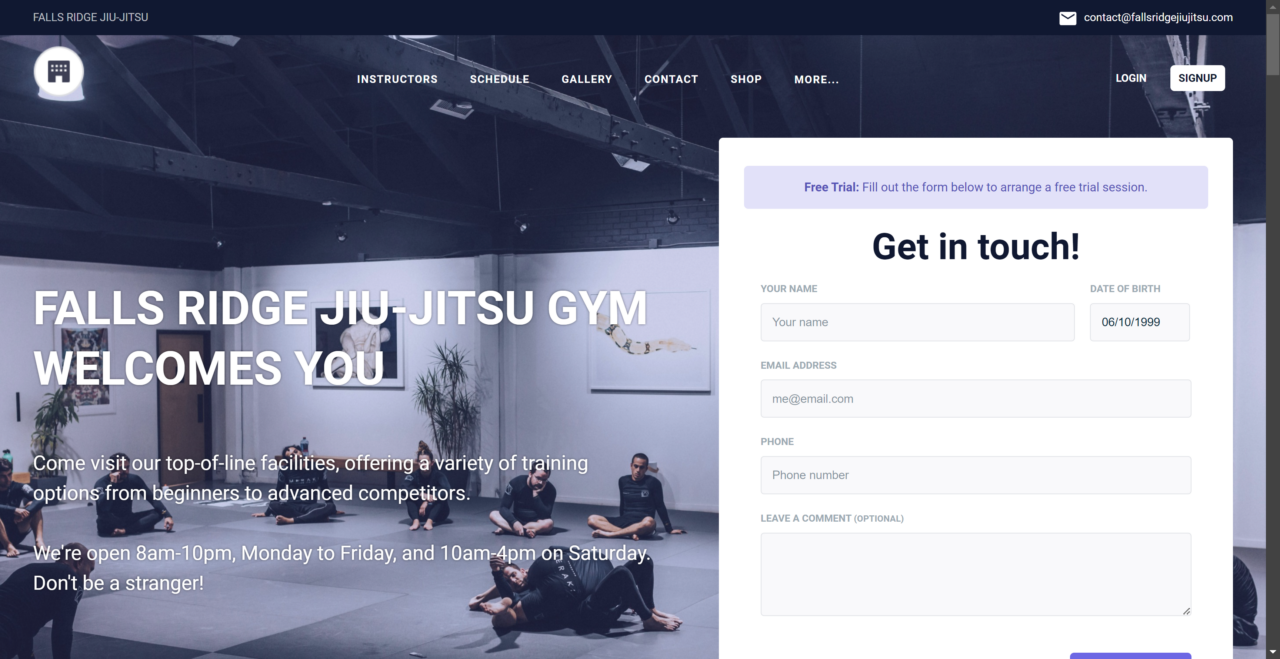
- WordPressに埋め込まれたスケジュールの「予約」ボタンは確実に機能します
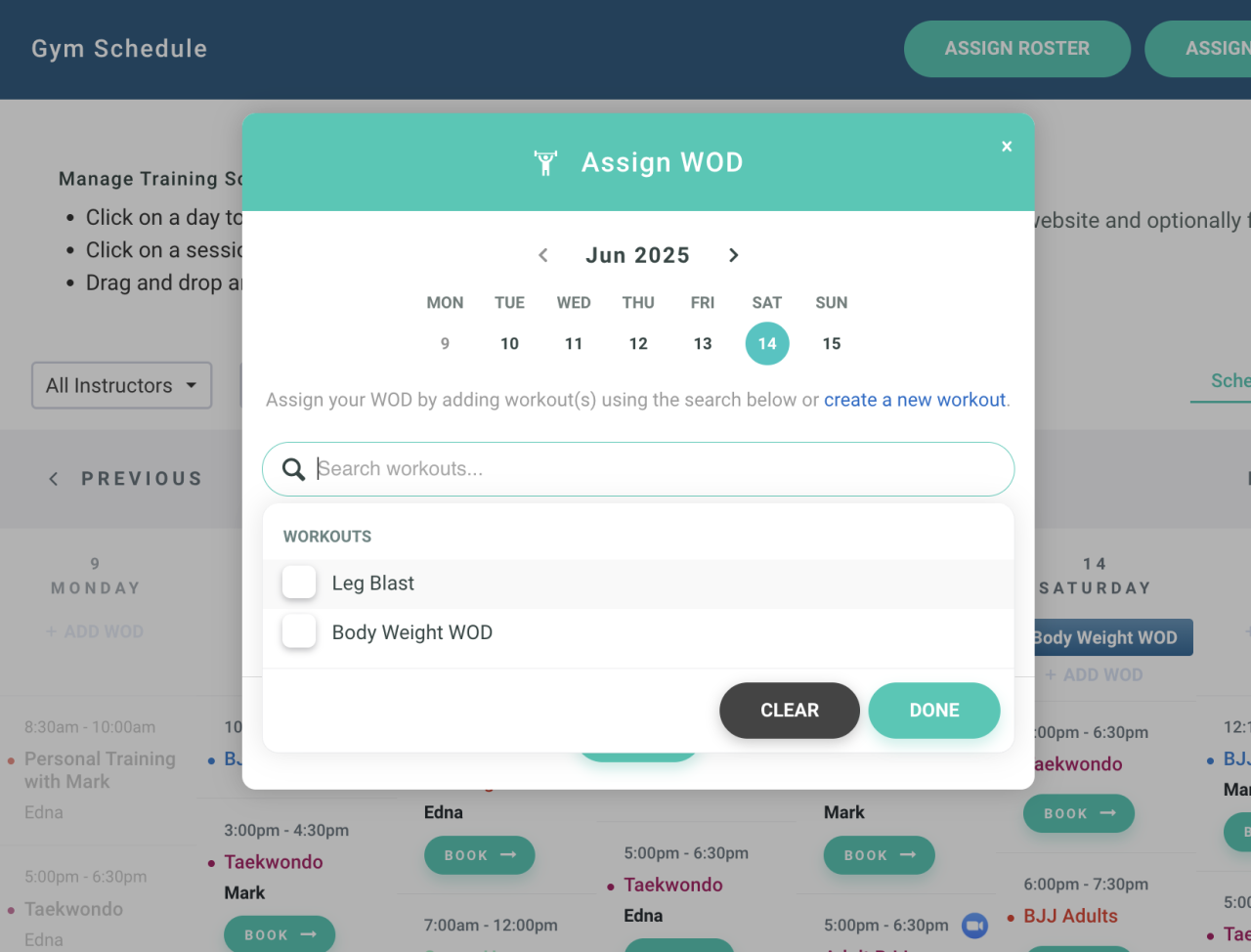
- WOD フローは、キャンセルや追加を含めて一貫した動作をする
速度と信頼性の更新
- 変更は、更新しなくても直ちに適用されます
- 予約を妨げていたエッジケースの修正など、予約フローの信頼性が向上
ジムのスケジュール作成を迅速化する方法についてのメモを共有していただきありがとうございます。これからも続けてください。
Gymdeskからの最新情報をすべて見る
Gymdeskに加えたすべてのアップデートを確認するには、 ジムデスクのアカウントにログインしてくださいそして、Gymdeskダッシュボードの右上隅にある「新着情報」をクリックします。最新のアップデートや見逃した情報を見ることができます。